Add IPTV to Apple TV in about a minute.
Nobody types a 32-character Xtream password with a remote. Scan a QR code and finish setup on your phone.


- Xtream Codes
- M3U playlists
- Full EPG
- Catch-up
- 4K Dolby Vision
- Top Shelf
Never type a password with the Siri Remote.
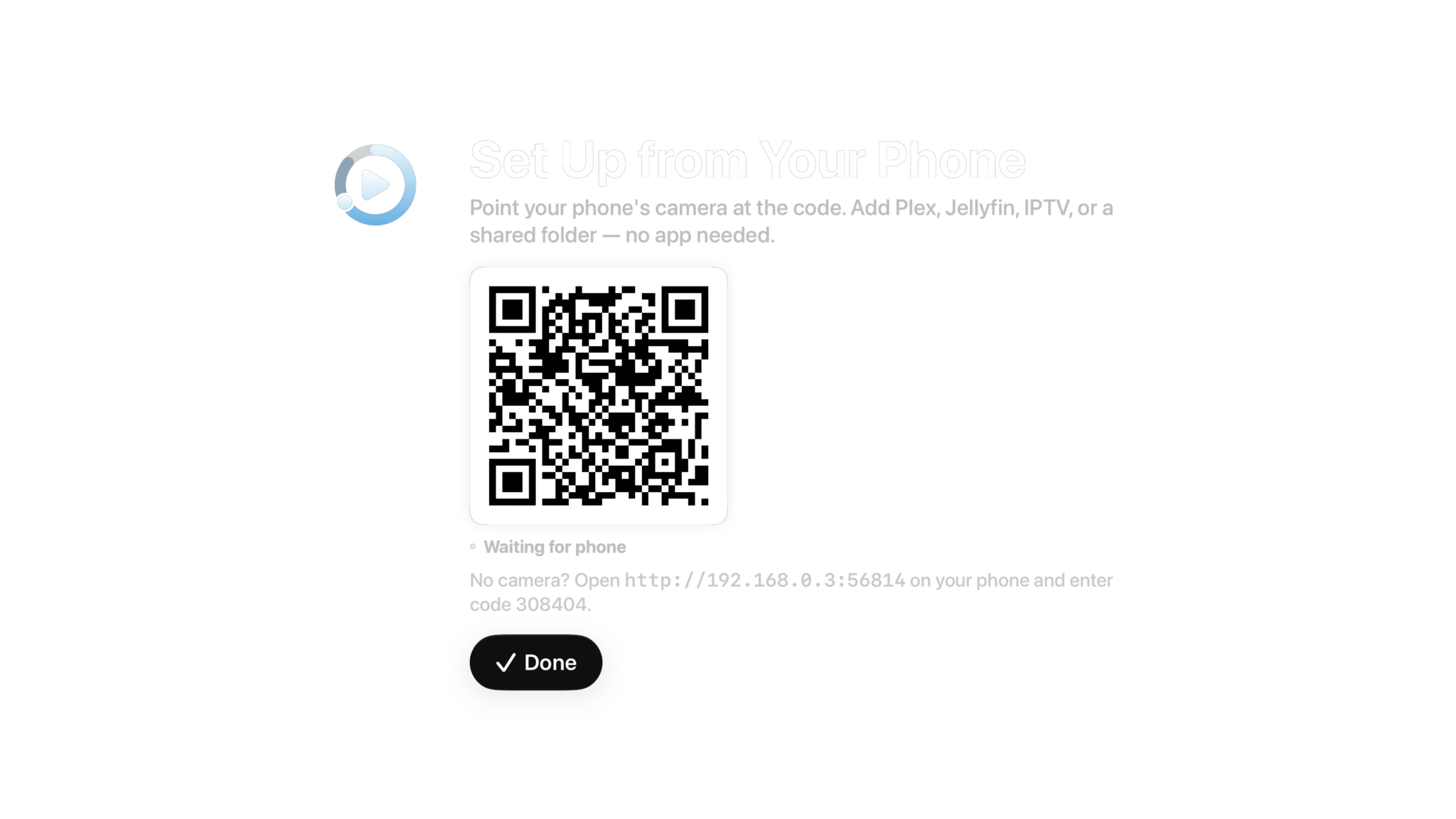
Spectati puts a QR code on the television. Scan it and a setup page opens on your phone, with no app to install. Fill in your server or playlist there and it goes to the Apple TV over your own network. About a minute, start to finish.
- Scan a QR code, no remote typing, no on-screen keyboard
- Fill in Xtream, M3U or server details in Safari on your phone
- No camera? Open the address on screen and enter the six-digit code
- Works for IPTV playlists, Plex and Jellyfin servers and shared folders
The Apple TV shows a QR code, plus an address and code for a phone without a camera.

A real EPG. On a real screen.
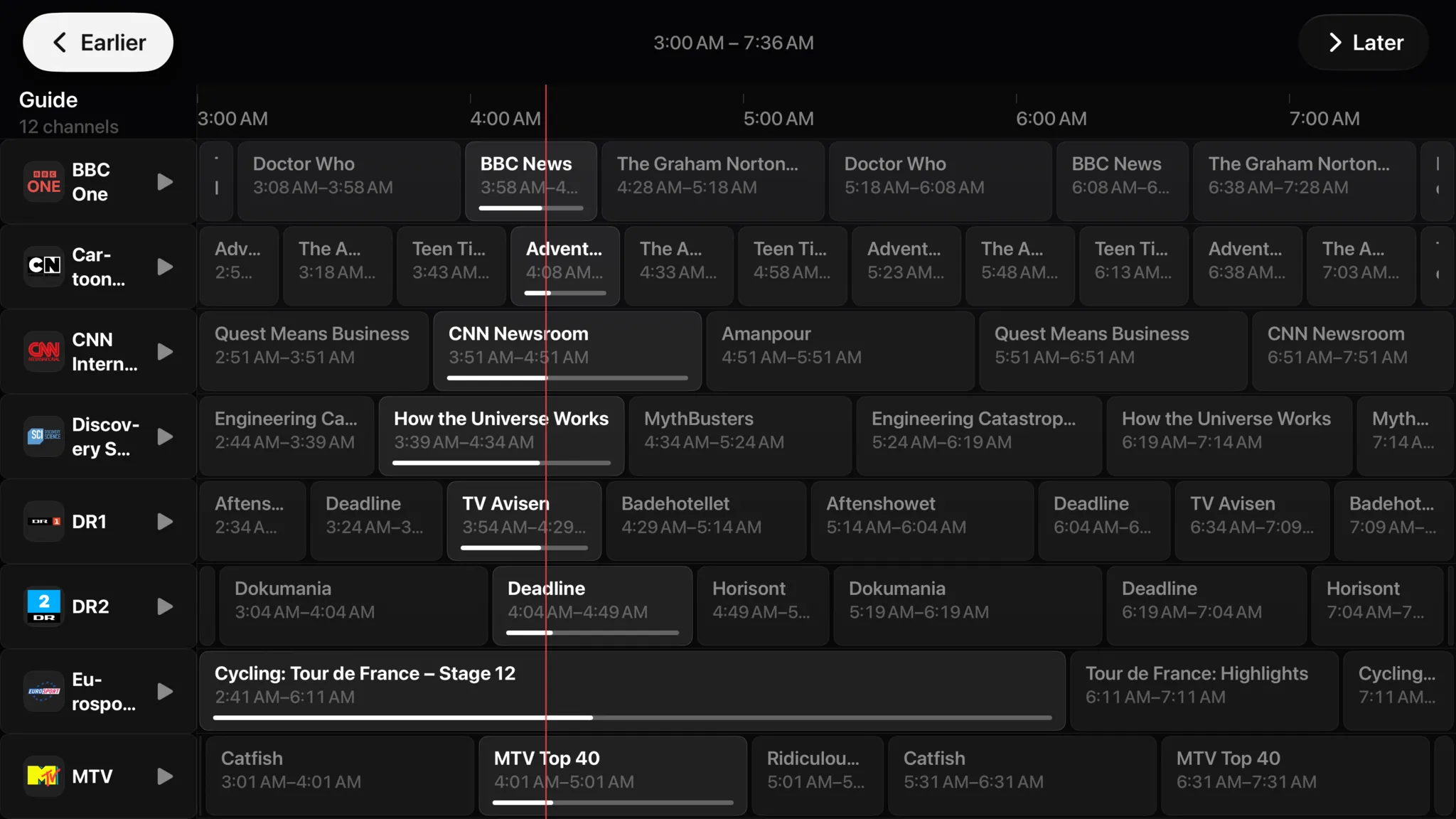
The full program guide lives on the big screen where it belongs. A now line runs down every channel, what is airing shows how far in it is, and Earlier and Later page through the day. Select a channel to jump straight into it.
- A full-screen grid, sized for a sofa
- Now line and live progress on every channel
- Guide data refreshes automatically in the background
- Jump straight from the guide into a live channel
- Catch-up: play a programme that already aired, with a subscription
Catch-up and on-demand need a subscription and a provider that offers them
Your thumb already knows the way.
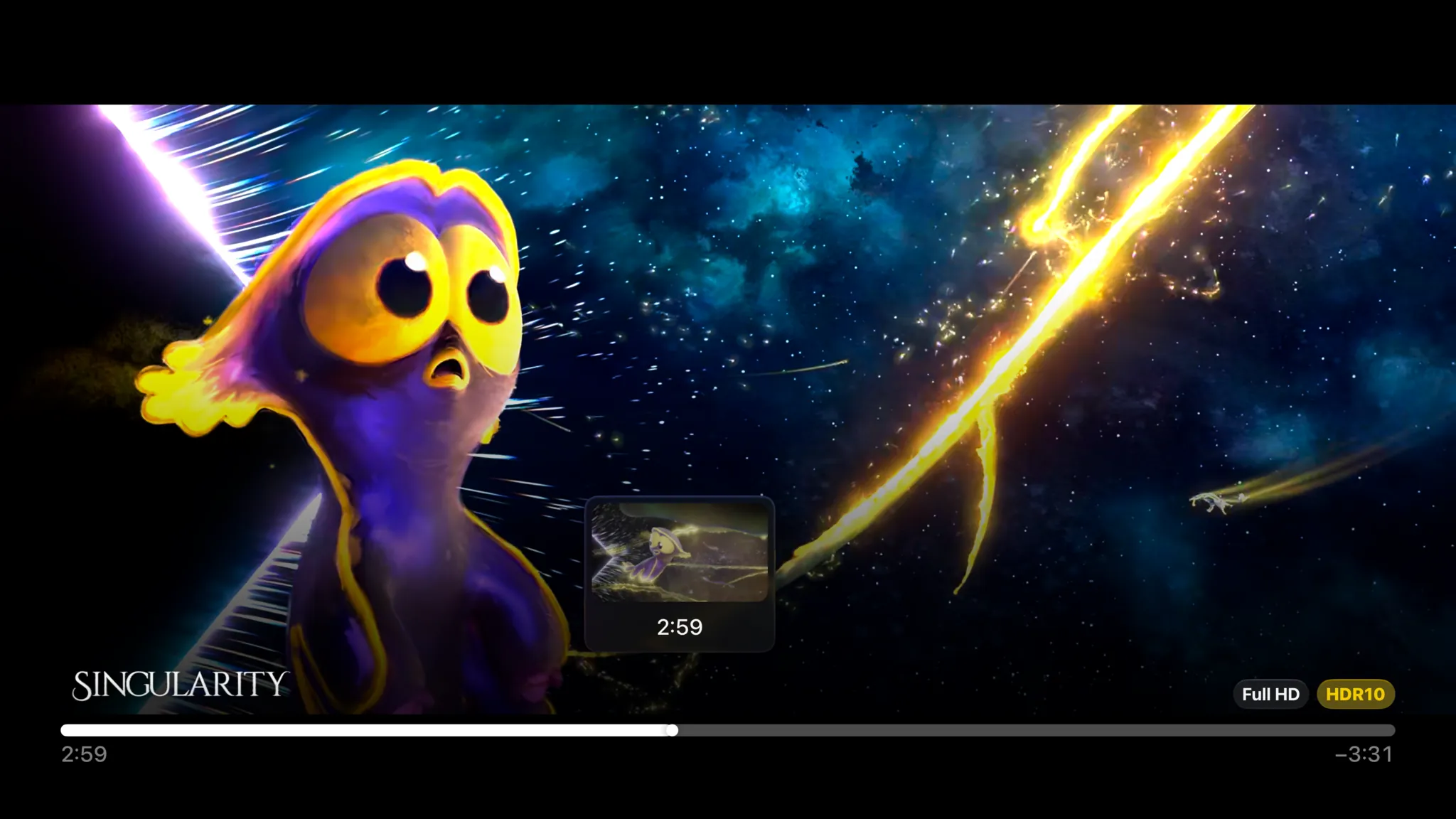
No cursor pretending to be a finger and no phone buttons blown up to TV size. Glide on the touchpad to scrub with a preview of where you will land, swipe down for subtitles and playback options, click to pause. It behaves like Apple’s own apps because it uses the same focus engine they do.
- Touchpad scrubbing with a preview thumbnail
- Swipe down for subtitles and playback options
- The tvOS focus engine, so nothing feels ported
- Play/pause, skip and menu do exactly what you expect




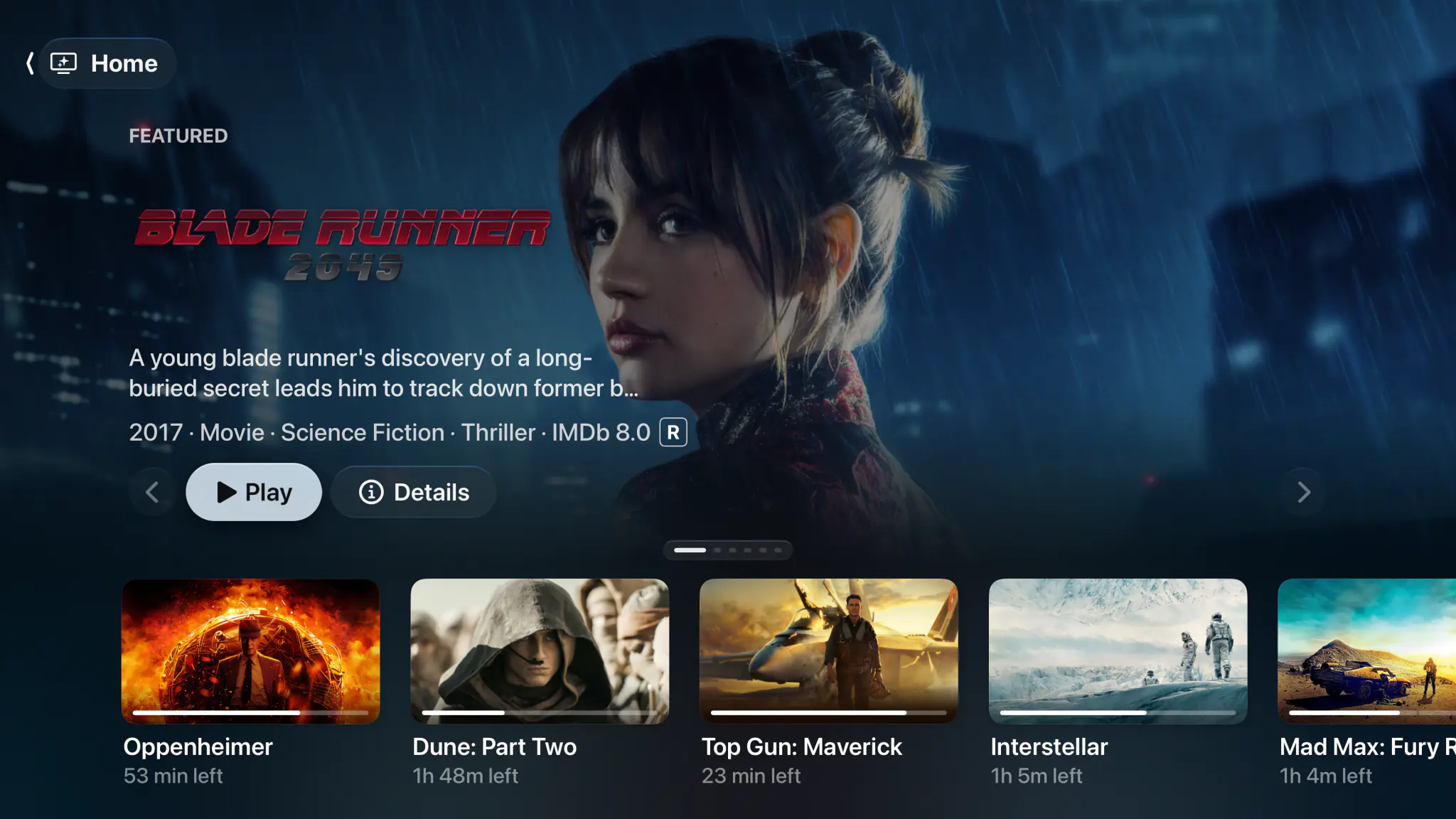
Watching starts before the app opens.
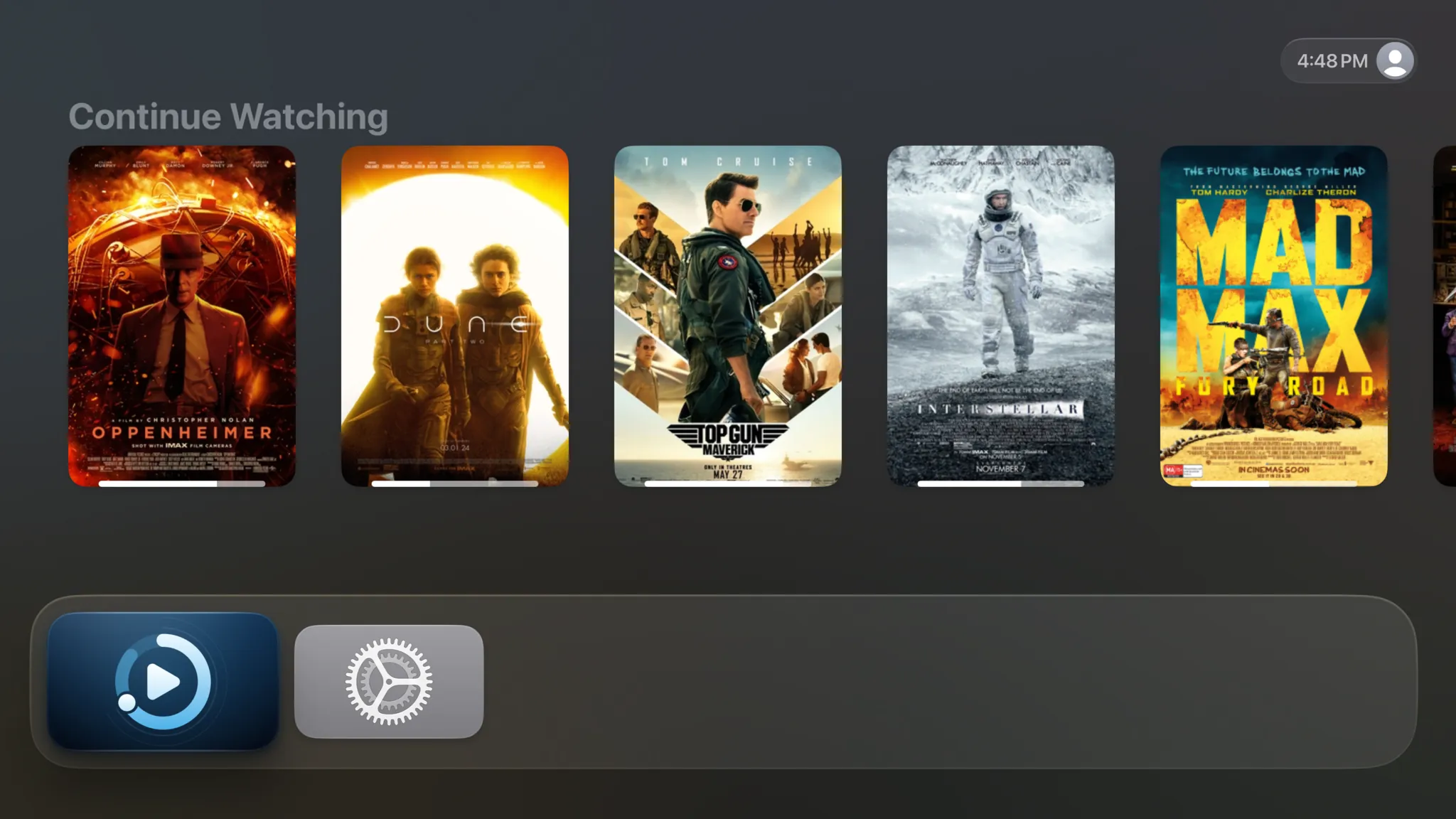
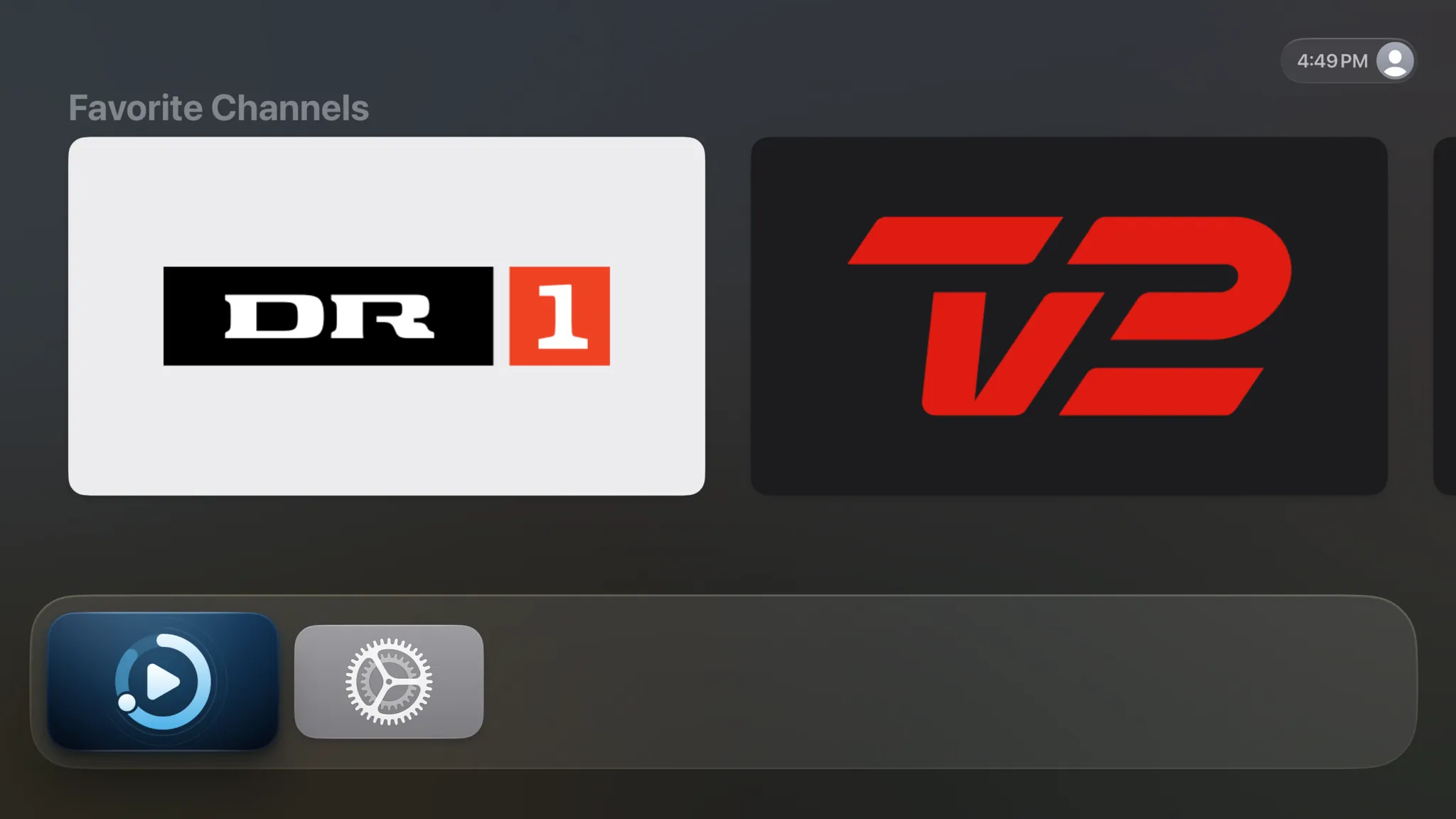
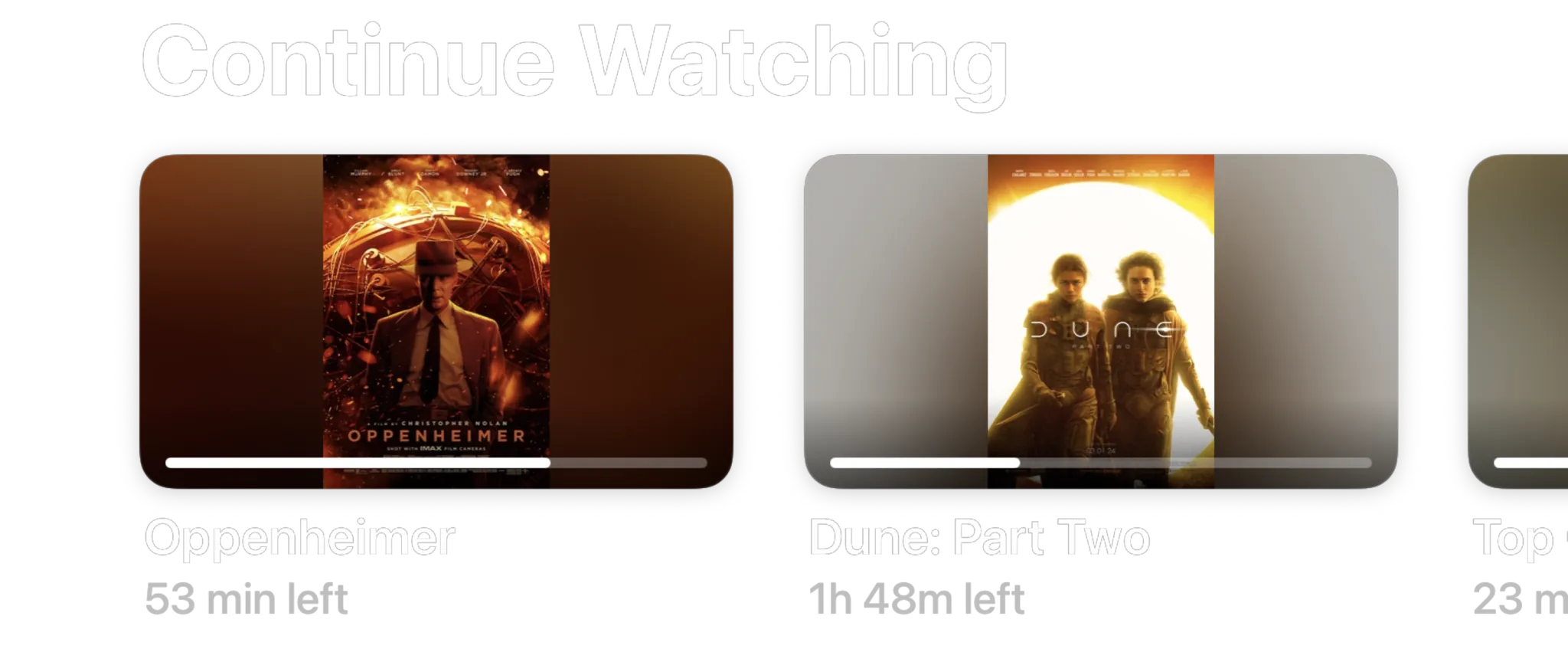
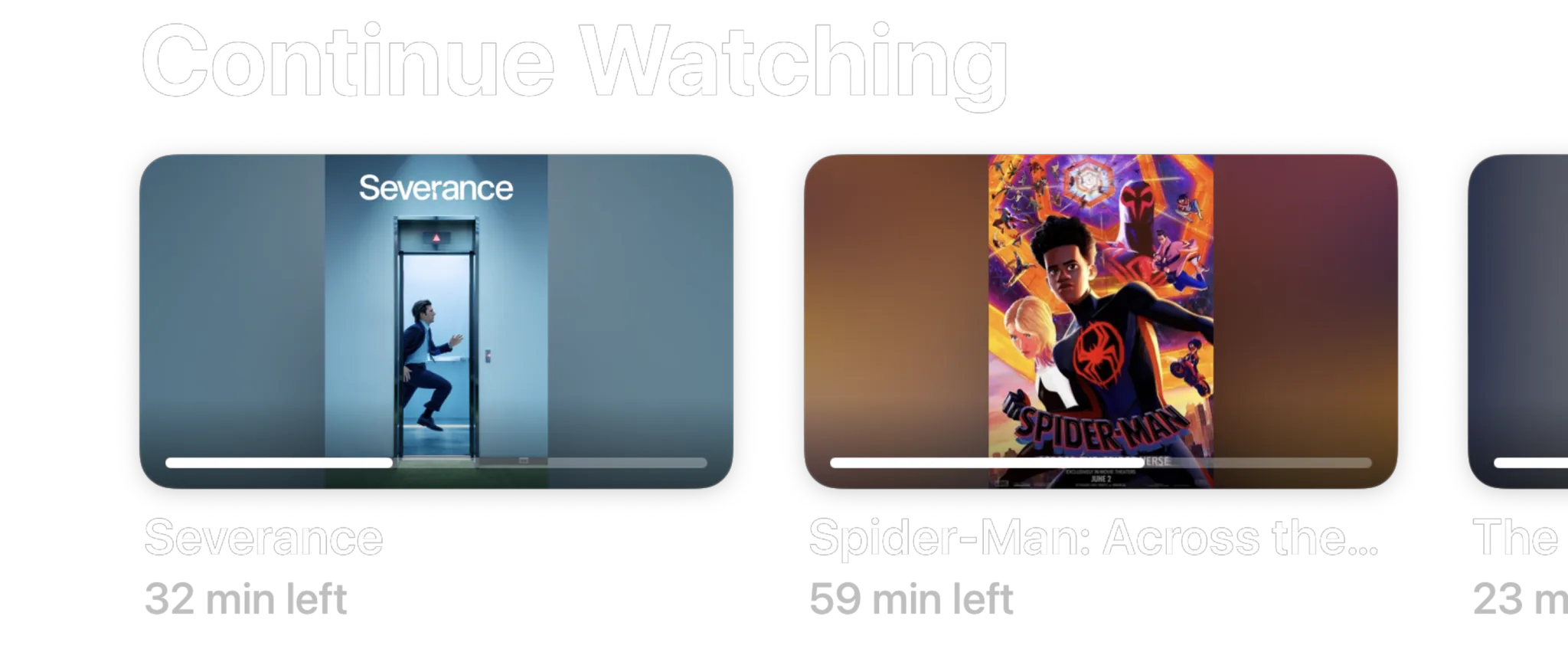
Put Spectati in the top row of the Apple TV Home Screen and Top Shelf shows your Home rows above it, in the order you gave them: what you are partway through, your favorite channels, what is new. Select a film to open it, or a channel to tune straight in.
- Continue Watching, Favorite Channels, recently added and recommended rows
- Rows follow the order and hiding you set for Home
- Progress bars on everything you have started
- Updates automatically as you watch
Your Apple TV profile, your Spectati.
Each person on the Apple TV gets their own Continue Watching. Spectati runs as the current Apple TV user, and when the household switches, from Control Center, or at the who’s-watching prompt tvOS 26 shows when the TV wakes, Spectati switches with it.
- Watch history, Continue Watching and favorites are personal to each Apple TV user
- Works hand-in-hand with tvOS 26 profile switching on wake
- Settings, curation and access rules stay with the person who set them
- Each user connects their own providers, or shares them through a shared iCloud account
Everything else the big screen gets
The same engine and tools as on iPhone, iPad and Mac, sized for a sofa.
4K Dolby Vision & Atmos
Direct-plays 80 Mb/s+ remuxes, with Dolby Vision and HDR10+ to the display and Dolby Atmos to the receiver.
Learn moreLive TV that recovers
Stalled feeds refresh, renegotiate and rejoin the live edge automatically, usually within seconds.
Learn moreChannels, curated
Hide junk, favorite what matters, auto-merge SD/HD/FHD duplicates and write wildcard rules.
Learn moreCurate from the couch
Open a local web page on your phone to organize channels, faster than any remote.
iCloud sync
With a subscription, favorites, hidden channels and watch progress follow you between Apple TV, iPhone, iPad and Mac.
PIN locks for the family
Lock channels, categories or whole providers behind a PIN with a maturity limit.
SIMKL and Trakt watch history
Pair a SIMKL or Trakt account with a short code and finished movies and episodes sync both ways, with a subscription.
Family Sharing
One subscription covers everyone in your Apple Family Sharing group, no second purchase.
Private by design
Your playlists and credentials stay on your devices and your iCloud, never on our servers.
No ads
Nothing over the guide or the picture, free or subscribed.
Press play before you connect anything.
A new install is not an empty shelf asking for a server address. Four films are already on Home, and they play in seconds with no account, no playlist and no card. It is the real player on your own television, not a demo mode.
- Four Blender open movies, ready the moment you open the app
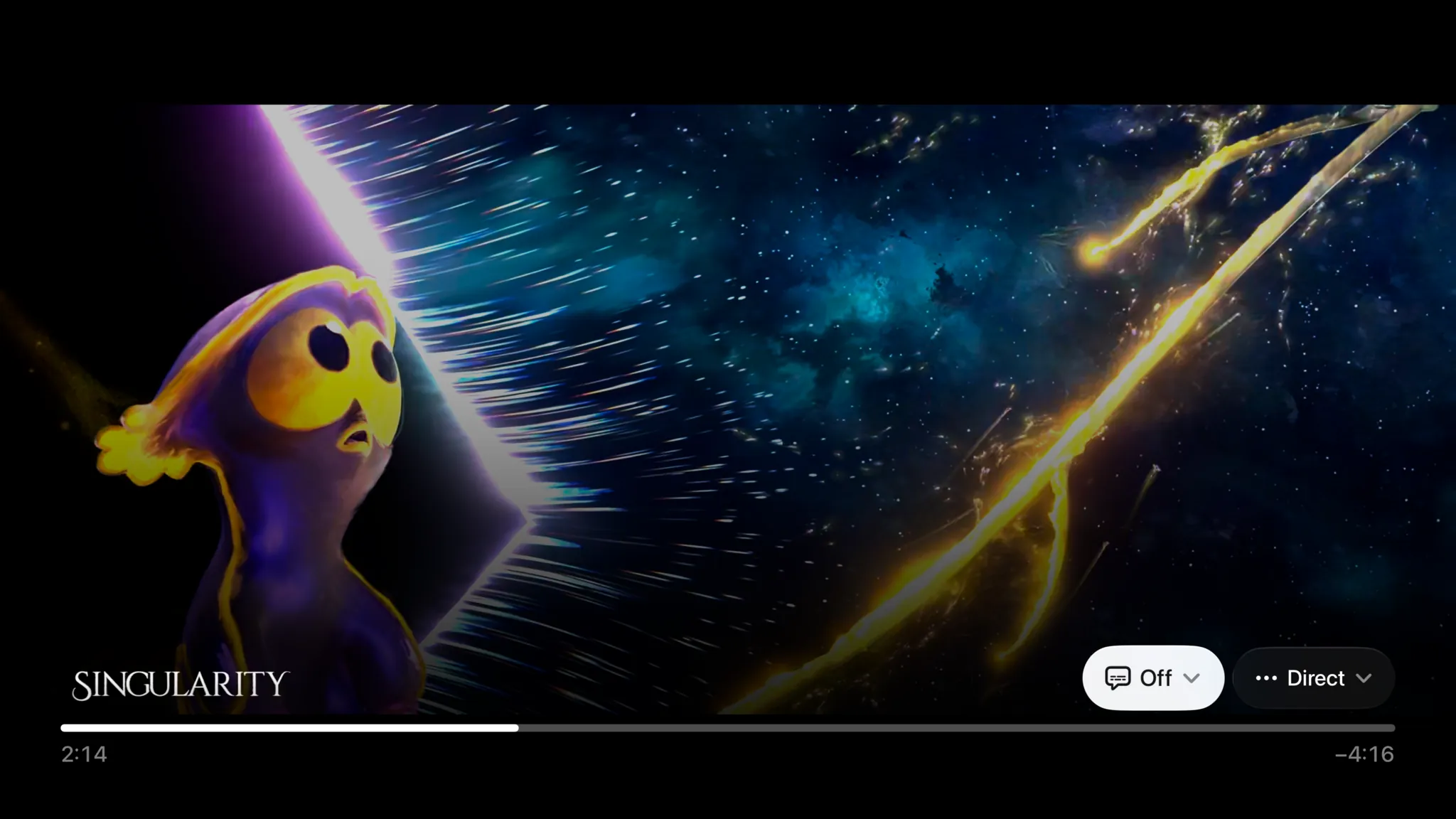
- Singularity is served in HDR10, so you see what full quality buys
- Nothing to sign up for and nothing that expires
- Connect Plex, Jellyfin or a playlist whenever you feel like it
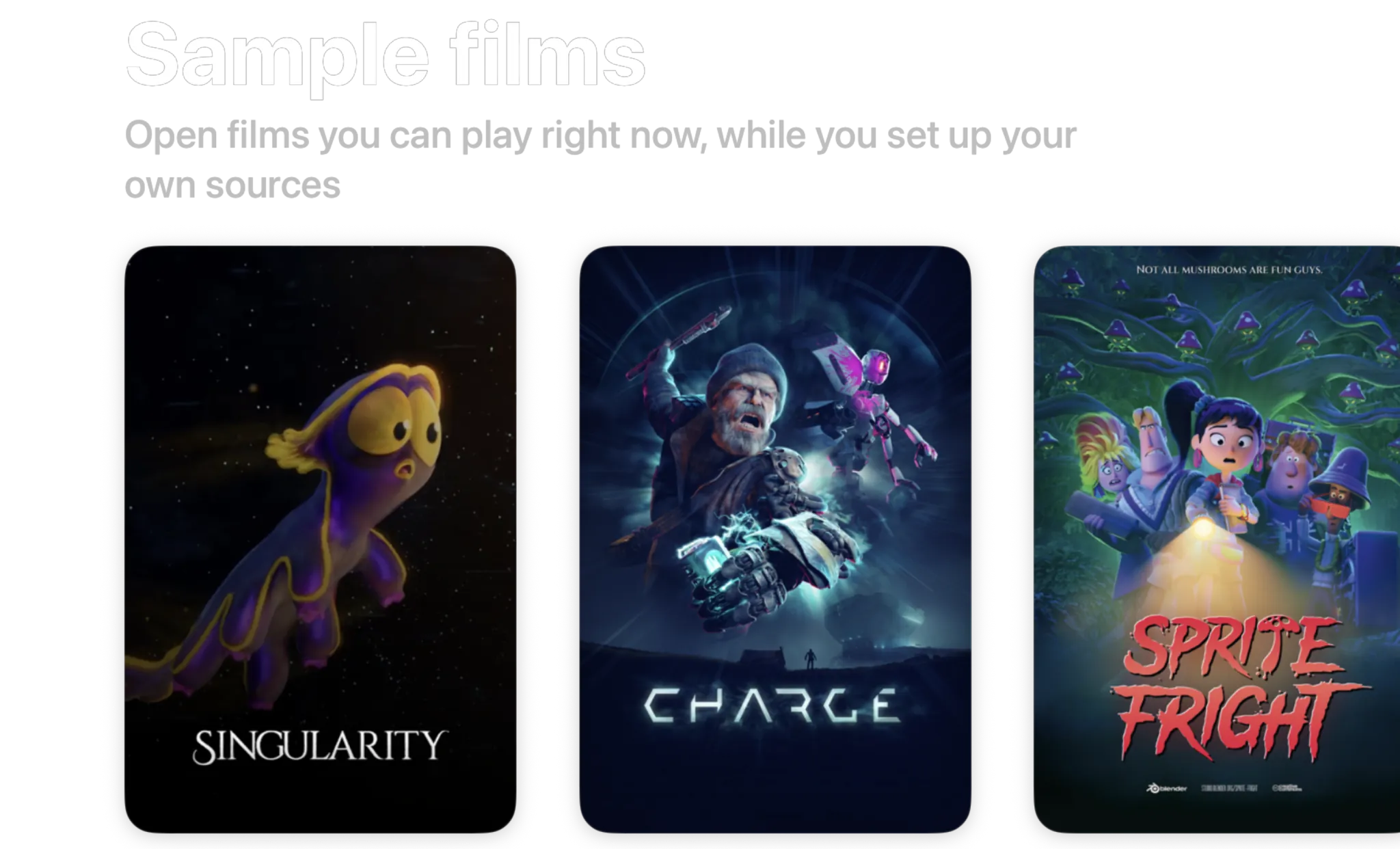
- Singularity2026 · 6 min · HDR10
- Charge2022 · 4 min · 1440p
- Sprite Fright2021 · 10 min · 1080p
- Big Buck Bunny2008 · 10 min · 720p
Blender open movies, licensed CC BY. Spectati streams them to a fresh install so there is something to watch before you connect anything.
Free to use. Pay only for full quality.
Nothing to configure before you press play, and no ads at any tier. The free tier direct-plays your 4K remuxes with no transcoding, in SDR. HDR and surround sound are what a subscription adds.
Free
No account neededInstall it and press play. There is no trial clock and no card.
- Plex, Jellyfin, IPTV and SMB file shares, plus Emby, WebDAV and SFTP in beta
- Up to 2 sources running at once
- Direct play of high-bitrate 4K remuxes, no transcoding
- Live TV with a full XMLTV program guide
- Favorites, hiding, renaming and sorting, channel by channel
- Parental PIN, age-rating limits and per-provider locks
Full quality
OptionalOr $2.99/month, or $99.99 once and never again
- HDR and surround sound
- More than 2 sources at once
- Offline downloads
- IPTV catch-up and on-demand
- Bulk channel tools and program reminders
- iCloud sync across your devices
- Automatic subtitles
- SIMKL and Trakt watch-history sync
- App icons and accent colors
- Automatic intro skipping
- Up to four live channels at once with Multiview
Bought inside the app, whenever you decide you want it. Apple handles it via In-App Purchase, with Family Sharing. Both subscriptions start with a 7-day free trial. Manage or cancel anytime from your Apple ID.
- Unlimited devices
- All providers
- tvOS, iOS, iPadOS and macOS
- Family Sharing
- Cancel anytime
Questions, answered.
Still curious about IPTV on Apple TV? Get in touch.
Is Spectati a good IPTV app for Apple TV?
Spectati is built for tvOS rather than ported from a phone app, which is what many IPTV players on Apple TV are. That means real Siri Remote gestures, the tvOS focus engine, Top Shelf, a full-screen EPG and a player that direct-plays 4K Dolby Vision and Dolby Atmos. It is free to use.
Does Spectati support Xtream Codes on Apple TV?
Yes. Add your Xtream Codes server, username and password (from your phone via QR code, so you never type them with the Siri Remote) and Spectati loads your live channels, movies, series and EPG.
Can I load an M3U playlist on Apple TV?
Yes. Spectati accepts M3U and M3U8 playlist URLs alongside Xtream Codes logins and Plex and Jellyfin servers. Up to 2 sources run at once free, more with a subscription, and channel curation applies across all of them.
Do I have to type my playlist URL with the Siri Remote?
No. The Apple TV shows a QR code. Scan it with your iPhone, fill in your details on the setup page that opens, and they’re sent to the TV over your local network. A phone without a camera can open the address on screen and enter the six-digit code instead. Setup takes about a minute.
Does it support Apple TV 4K with Dolby Vision and Atmos?
Yes. On Apple TV 4K, Spectati passes Dolby Vision, HDR10+, HDR10 and HLG through to your display. Dolby Atmos in Dolby Digital Plus reaches the receiver untouched, TrueHD and DTS play as 5.1 Dolby Digital Plus, and TrueHD Atmos and DTS:X keep their height channels on AirPods, HomePods and Atmos receivers. High-bitrate 4K remuxes direct-play without server transcoding.
Is there a TV guide (EPG) and catch-up TV?
Both. Spectati shows a full-screen EPG grid with now & next, live progress on every channel and automatic background refreshes. Catch-up, replaying a programme that has already aired from your provider’s archive, is there too, along with your provider’s films and series if it speaks Xtream. Catch-up and on-demand are subscription features and need a provider that offers them; the guide, live channels and zapping are free.
Can I try it on my Apple TV before connecting a playlist?
Yes. A new install carries four real films on the Home screen (Blender open movies streamed from spectati.com), so you can press play on the Apple TV within seconds of installing, with no account, no playlist and no card. One of them is served in HDR, so you can see what full quality looks like on your own television before deciding anything.
Does Spectati support Apple TV user profiles?
Yes. Spectati runs as the current Apple TV user, so switching users on the Apple TV (from Control Center, or at the who’s-watching prompt tvOS 26 shows when the TV wakes) switches Spectati too. Each household member gets their own watch history, Continue Watching, favorites and settings. There are no separate in-app profiles: the Apple TV user is the profile, so each user connects their own providers unless they share an iCloud account.
Can I sync my watch history with SIMKL or Trakt?
Yes, with a subscription. Connect a SIMKL or Trakt account, or both, with a short pairing code and Spectati marks finished movies and episodes there and pulls your history back into the app, on Apple TV, iPhone, iPad and Mac. It covers watch history only. If you use Plex or Jellyfin, those servers stay the authoritative record of what you watched there.
Does Spectati work on my iPhone, iPad and Mac too?
Yes. The app is free on Apple TV, iPhone, iPad and Mac, and one subscription covers all four, with Family Sharing for everyone in your family group. With it, favorites, hidden channels, custom ordering and watch progress sync between your devices through iCloud, so the setup you do once follows you.
Your Apple TV has been waiting for this.
Spectati is free on Apple TV, iPhone, iPad and Mac. Open it and press play on one of the four films already on Home, then set up your playlist from your phone in about a minute.
Also on Apple TV, iPad and Mac
Requires tvOS, iOS, iPadOS or macOS 26