Your playlist deserves a real guide.
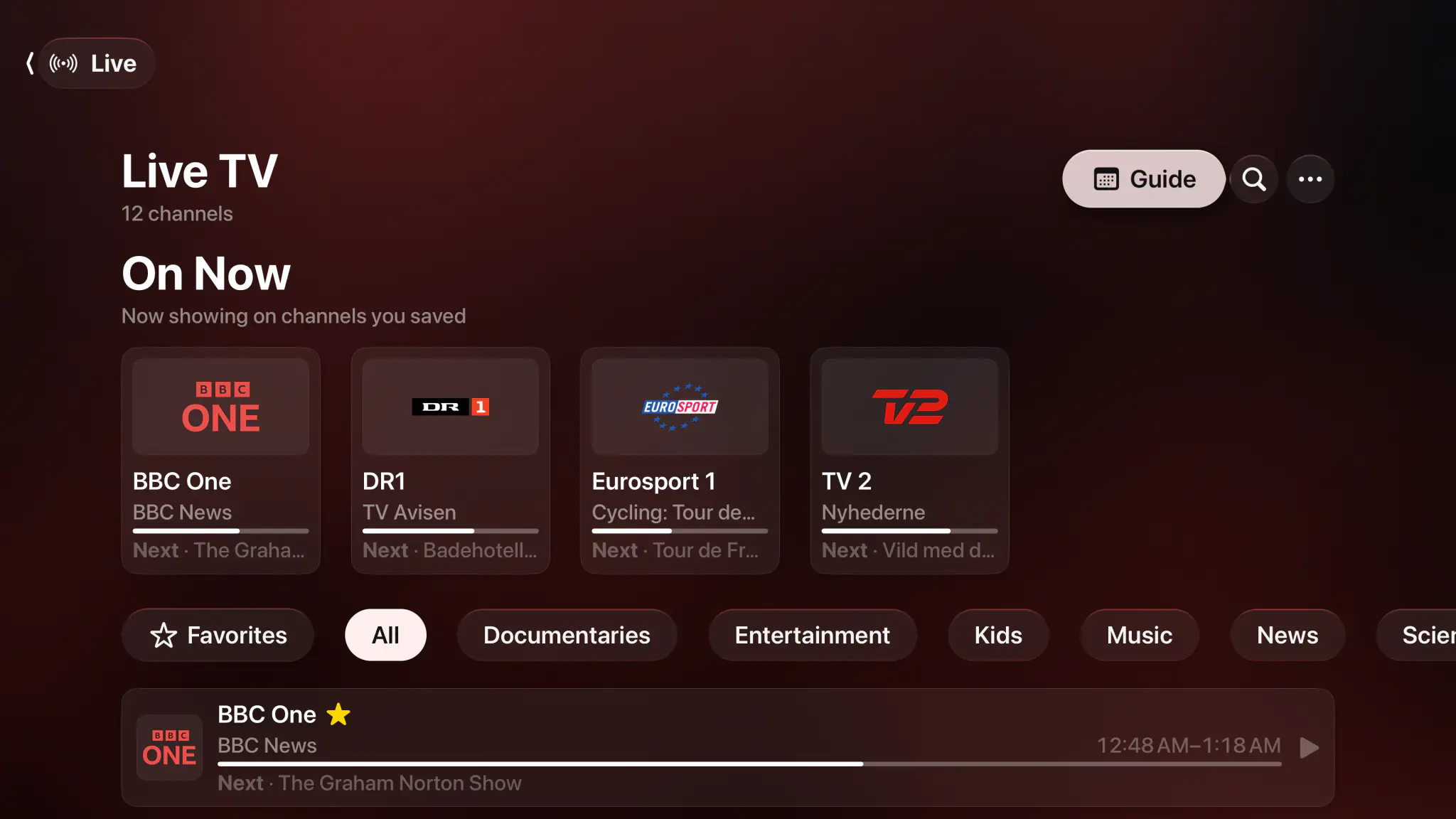
M3U and Xtream in, a full XMLTV guide out, and a huge lineup cut down to the channels you watch.


- M3U & M3U8
- Xtream Codes
- XMLTV EPG
- Apple TV
- iPhone & iPad
- Mac
- Plex & Jellyfin too
- No ads
Paste a URL. Watch in seconds.
Paste an M3U, M3U8 or JSON URL, or sign in to an Xtream provider with host, username and password. Channels, logos, categories and feed variants come in as your provider sends them, and a refresh picks up whatever changed without undoing your edits.
- M3U, M3U8 and JSON playlists, plus Xtream-compatible providers
- Up to 2 playlists or providers running at once free, unlimited with a subscription
- Multiple feed variants per channel, pick the one that holds up
- Channel logos, categories and stream metadata read straight from the source

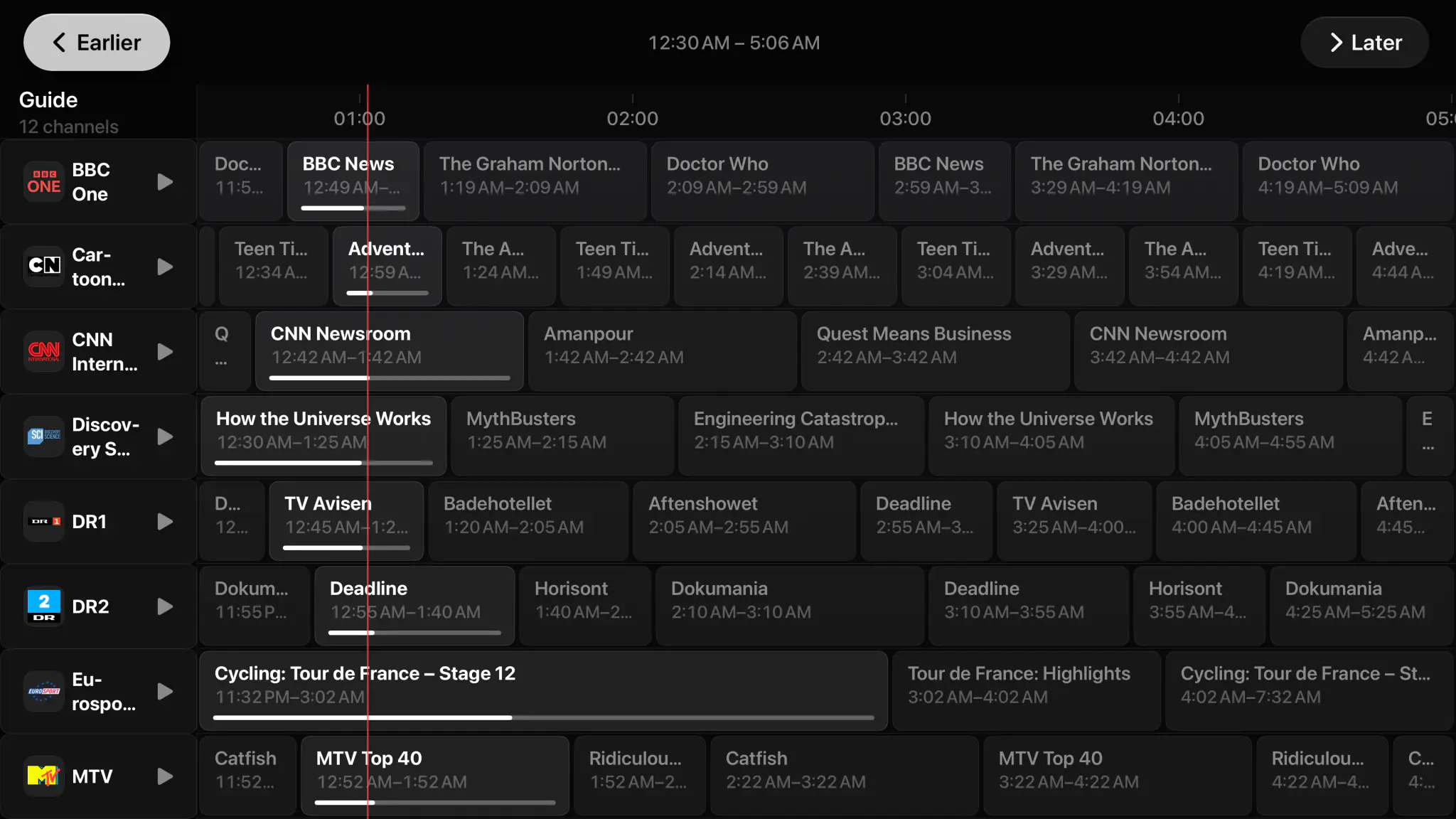
A real guide, like TV used to have.
Point Spectati at your XMLTV data and it builds a full-screen timeline across every channel. See what is on now and what is next, jump straight into a live stream, or play a programme from the start where your provider supports it.
- Full-screen XMLTV timeline across your whole lineup
- Now and next with live progress on every channel row
- Play from start and mark watched, where the provider allows it
- Catch-up, program reminders and your provider’s films and series, with a subscription
- Channel up and down zapping straight from the player on Apple TV
Built for real lineups
What a playlist with more channels than a cable package needs, on every Apple device you own.
Every playlist you have
2 running at once free, unlimited with a subscription. Each keeps its own settings, and browsing, search and the guide see all of them.
Feed variants
Pick between HD, FHD and backup feeds for the same channel, and make your choice stick.
Your own categories
Regroup a provider’s categories into ones that match how you watch, then sort them your way.
Hide the noise
Hidden channels and categories disappear from browsing, search and the guide, not just from one list.
One search
Titles, episodes and live channels from every connected source, in one list.
Fast zapping
Channel up and down inside the player, with the guide a click away on the Siri Remote.
Tracks and subtitles
Audio and subtitle selection with delay adjustment, remembered the way you set it.
Favorites & recents
The channels you open most, always one row from the top of Home.
PIN locks
Lock providers, categories or the whole app behind a PIN with an age-rating limit.
iCloud sync
With a subscription, favorites, hidden channels and your curation follow you to every Apple device.
Nothing passes through us
Your playlist URLs and credentials stay on your devices and in your iCloud. Spectati runs no proxy.
Bring your own service
Spectati supplies no channels, playlists or accounts. You connect the provider you already use.
Big playlists arrive messy. Clean them up once.
Reorder and rename channels, group them into your own categories, favorite the handful you watch every night, and hide the rest so they never show up in browsing, search or the guide.
- Custom categories, sorting and renaming that survive playlist refreshes
- Match and fix thousands at once by pattern, with a subscription
- Favorites and recents for the channels you open most
- Hide individual channels or entire categories from the whole app
- PIN locks, age-rating limits and per-provider restrictions

IPTV, Plex and Jellyfin under one roof.
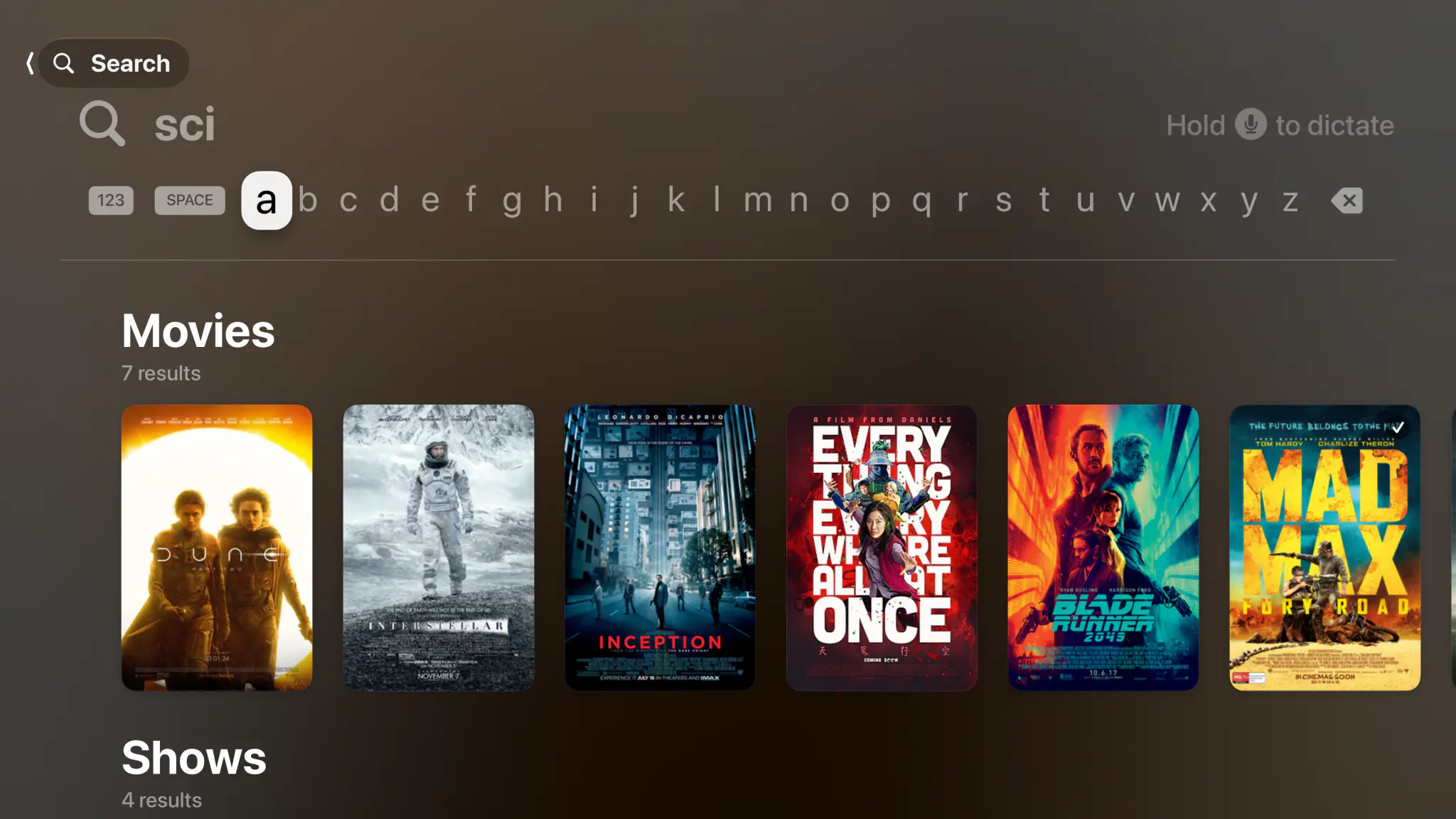
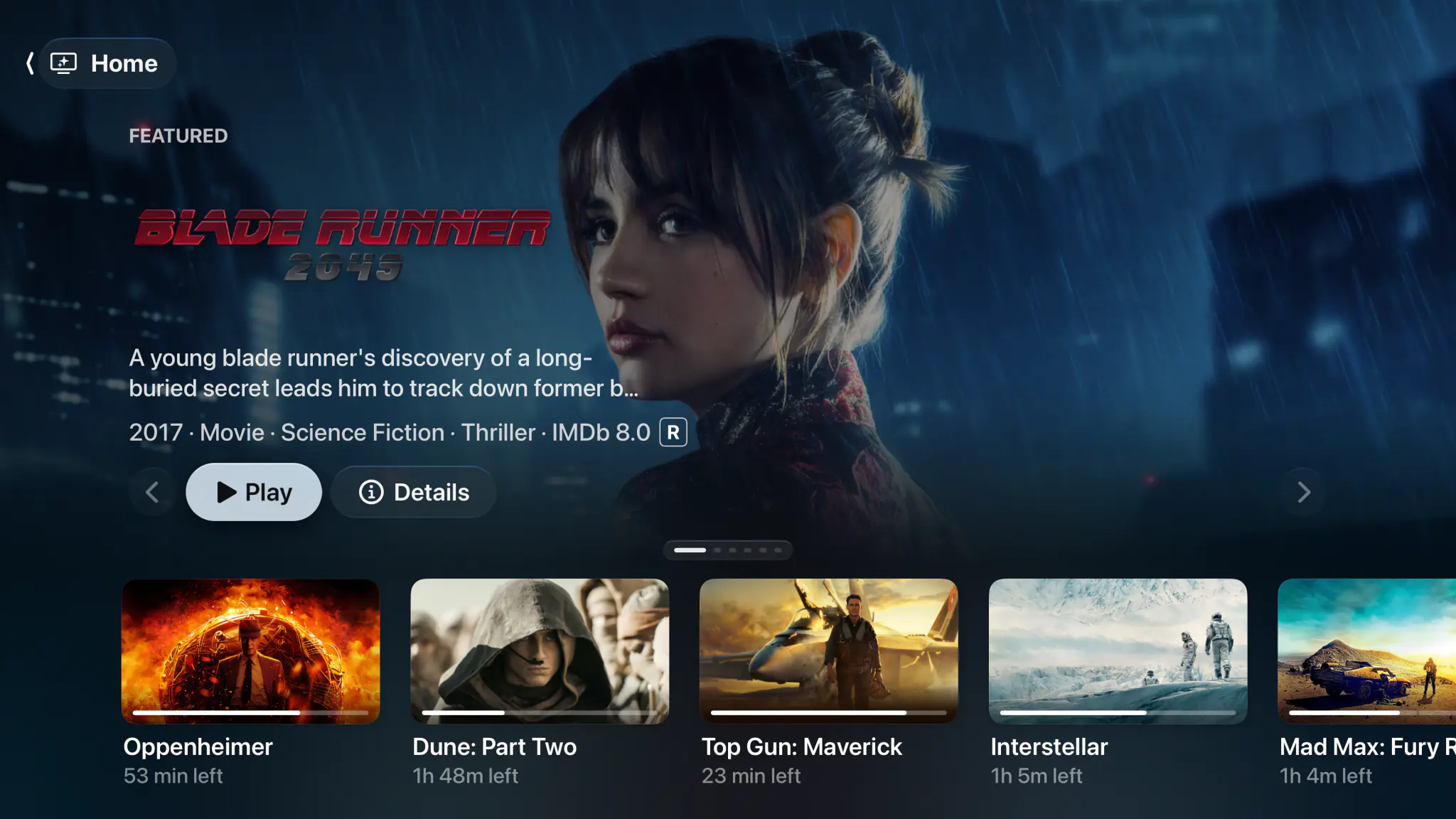
Plenty of people who pay for IPTV also run a Plex or Jellyfin server, and end up with two apps. Connect all of it here and you get one Home, one search across titles and channels, and one Continue Watching row. 4K Dolby Vision reaches the display, and Dolby Atmos in Dolby Digital Plus reaches the receiver untouched, where the stream and your hardware allow.
- Plex servers, Jellyfin servers and IPTV playlists connected at once
- One search across movies, shows, episodes and live channels
- Dolby Vision, HDR10+, HDR10 and HLG straight to your display
- Atmos in Dolby Digital Plus untouched, TrueHD Atmos and DTS:X with their height channels

Free to use. Pay only for full quality.
No ads, no add-ons, and nothing to configure before you press play. The free tier direct-plays your 4K remuxes with no transcoding, in SDR. HDR and surround sound are what a subscription adds.
Free
No account neededInstall it and press play. There is no trial clock and no card.
- Up to 2 playlists or providers at once
- M3U, M3U8, JSON and Xtream, with your XMLTV guide
- Live channels and zapping, direct-played in SDR
- Categories, favorites, renaming and hiding, by hand
- PIN locks, age-rating limits and per-provider restrictions
Full quality
OptionalOr $2.99/month, or $99.99 once and never again
- HDR and surround sound
- Unlimited playlists and providers at once
- Catch-up and your provider’s films and series
- Bulk channel tools and program reminders
- Offline downloads and automatic subtitles
- iCloud sync of curation and watch state
Bought inside the app, whenever you decide you want it. Apple handles it via In-App Purchase, with Family Sharing. Both subscriptions start with a 7-day free trial. Manage or cancel anytime from your Apple ID.
- Unlimited devices
- All providers
- tvOS, iOS, iPadOS and macOS
- Family Sharing
- Cancel anytime
IPTV questions, answered.
Something we did not cover? Get in touch.
Which IPTV playlist formats does Spectati support?
Spectati loads M3U and M3U8 playlists, JSON playlists and Xtream-compatible providers, with XMLTV EPG data for the program guide. Paste a URL or sign in with your Xtream host, username and password.
Does Spectati provide IPTV channels or a subscription?
No. Spectati is a player and organizer. It does not supply media, channels, playlists, accounts or subscriptions. You connect the provider you already pay for, and stream only what you are authorized to.
Can it handle a playlist with thousands of channels?
Yes. Large lineups are what Spectati is tuned for. Categories, favorites, custom sorting, hiding and renaming cut it down to the channels you watch, and the list stays fast while you do it.
Does the program guide use my XMLTV data?
Yes. Spectati matches your XMLTV EPG to your channels and renders a full-screen timeline guide with now and next, live progress on every row, and play-from-start where your provider allows it.
Can I use IPTV alongside Plex and Jellyfin?
That is the point of Spectati. Your IPTV playlists, Plex servers and Jellyfin servers all live in the same app, with one home screen, one search and one Continue Watching row across every source.
Can I keep certain channels away from the kids?
Yes. Lock the app or individual providers behind a PIN, set an age-rating limit, and hide channels or whole categories so they never appear in browsing, search or the guide. On Apple TV, Spectati also runs as the current Apple TV user, so each household member keeps their own watch history, favorites and settings.
Paste the playlist. Keep the fifty.
Spectati is free on Apple TV, iPhone, iPad and Mac. Paste your M3U or Xtream details, point it at your XMLTV guide, and start watching.
Also on Apple TV, iPad and Mac
Requires tvOS, iOS, iPadOS or macOS 26