If it's a video file, it plays. Directly.
80 Mb/s 4K remuxes, awkward old AVIs, live MPEG-TS feeds. All direct-played on-device, with no server transcoding.


- Dolby Vision
- HDR10+
- HLG
- Dolby Atmos
- TrueHD
- DTS
- FLAC
- MKV
- MPEG-TS
- AVI
- PGS
- ASS
No transcoding. No excuses.
Spectati carries two players. Apple’s native engine takes the formats it handles well. Spectati’s own FFmpeg-based engine takes the rest: MKV remuxes, DTS and TrueHD audio, styled ASS subtitles, interlaced broadcast feeds. The app picks per stream, and the file plays as it was encoded.
- Direct-plays 80 Mb/s+ 4K remuxes without a server transcode
- MKV, MPEG-TS, MP4, AVI and more: the container is never the problem
- HEVC, H.264 and AV1 video with every mainstream audio codec
- Raise or cap the streaming bitrate yourself, up to 200 Mb/s
- ContainerMKV
- VideoHEVC 10-bit, 4K
- HDRDolby Vision
- AudioTrueHD Atmos 7.1
- SubtitlesPGS (image)
- Bitrate84 Mb/s
- You pick a bitrate under this file’s 84 Mb/s: a cap in Settings, the player’s Quality control, or the lower bitrate offered when a file buffers.
- No audio track starts on the device and you accept a transcoded stream instead.
- Transcoding is set to Allow and the server decides the file needs it.
Network shares and IPTV have no transcoder, so their files always play as they are.
How the transcoding settings work





Every nit, every channel, as mastered.
HDR is the difference between the grade the colorist signed off and a flattened copy of it. Spectati passes Dolby Vision, HDR10+, HDR10 and HLG through to your display. Dolby Atmos in Dolby Digital Plus reaches the receiver untouched, TrueHD and DTS play as 5.1 Dolby Digital Plus, and TrueHD Atmos and DTS:X keep their height channels on AirPods, HomePods and Atmos receivers.
Spectati renders the objects in a TrueHD Atmos or DTS:X track into speaker channels and plays them as Apple Spatial Audio. By default it does this on every Mac and wherever the output reports Spatial Audio or Dolby Atmos: AirPods, HomePods, and Atmos receivers and soundbars, which Apple TV sends it to as Dolby Atmos. To render for a room you know, set Speakers in Settings to 5.1.2, 5.1.4, 7.1.2, 7.1.4 or 9.1.6. It works on films and shows from every source, comes with a subscription, and replaces the lossless track with a high-bitrate lossy encode.
- Dolby Vision and HDR10+ dynamic metadata, scene by scene
- Atmos in Dolby Digital Plus untouched, TrueHD Atmos and DTS:X with their height channels
- DTS, TrueHD and FLAC tracks the native player refuses to touch
- Broadcast HLG live feeds deinterlaced and tone-mapped correctly
- The subscription opens this chain. Free plays the same file in SDR.
Streams hiccup. Your match doesn't.
IPTV servers deliver in bursts, go quiet mid-match and drop connections. Spectati answers each with the smallest fix that works, and escalates only when it does not.
Rides it out
The player reads the channel ahead of the picture, so a server that sends in bursts plays without a gap.
Holds together
If that cushion runs dry, picture and sound pause together and pick up in sync. Sound keeps the time, so the two cannot drift apart.
Reconnects
Ends hereWhen the feed stays silent with nothing left to play, or picture or sound stops while data keeps arriving, the player opens a new connection and rejoins at the live edge.
Switches engine
A reconnect counts only once the picture moves again, so a server that accepts connections and sends nothing cannot loop forever. After repeated failures, the second playback engine takes the same stream.
Says what failed
If both engines fail, the error names the cause, including an Xtream account that has reached its connection limit.
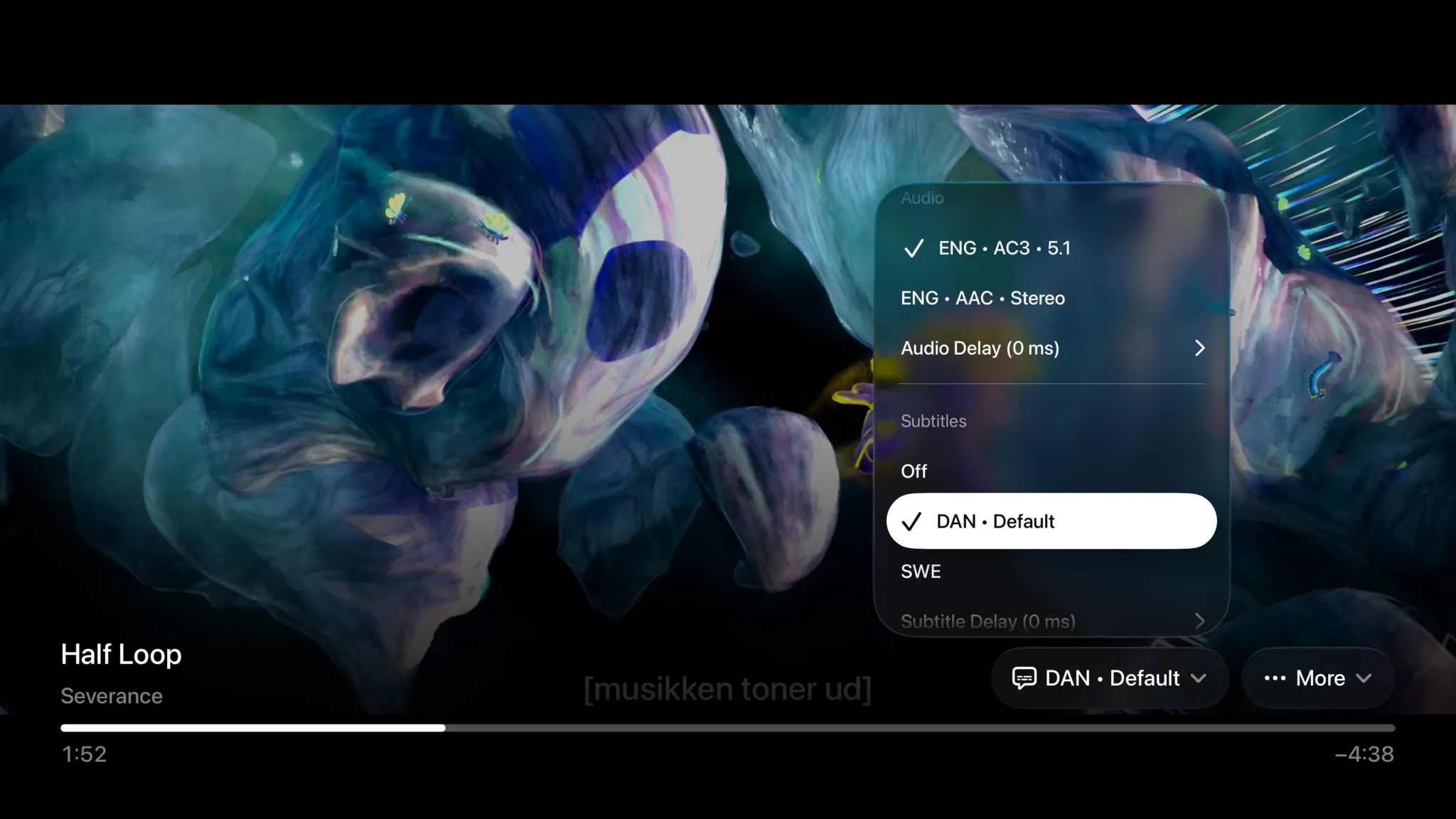
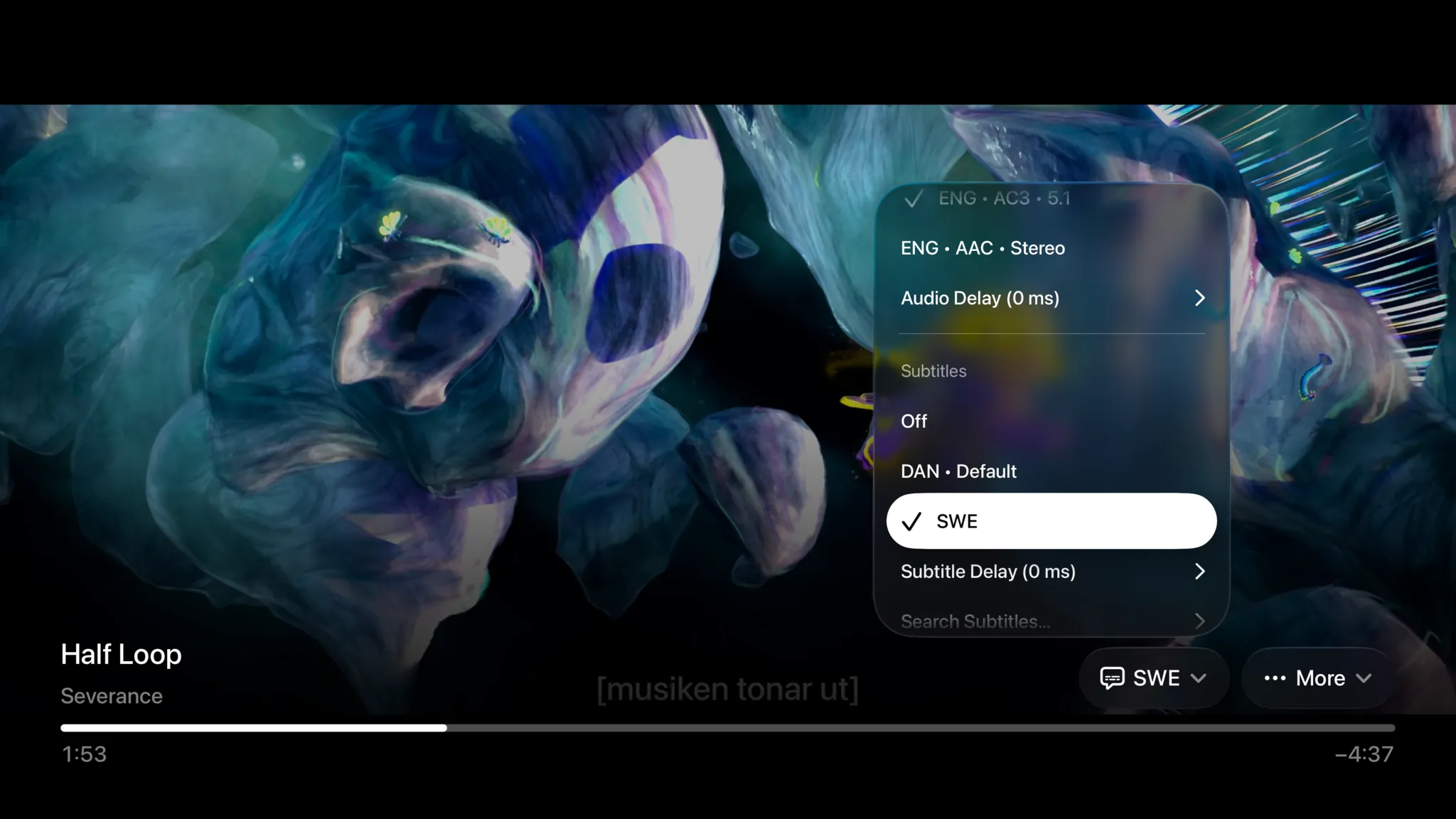
Every language. Every format.
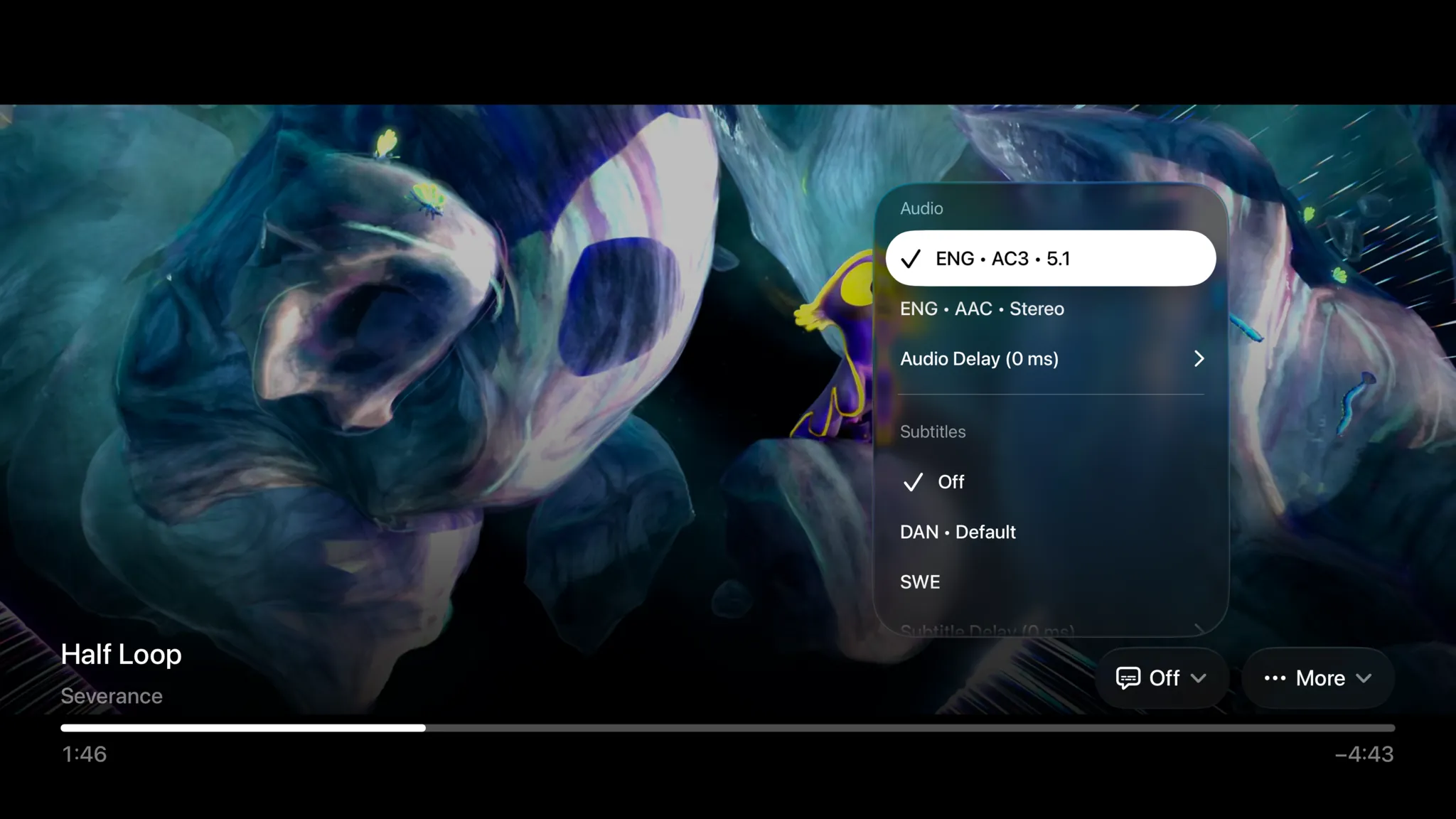
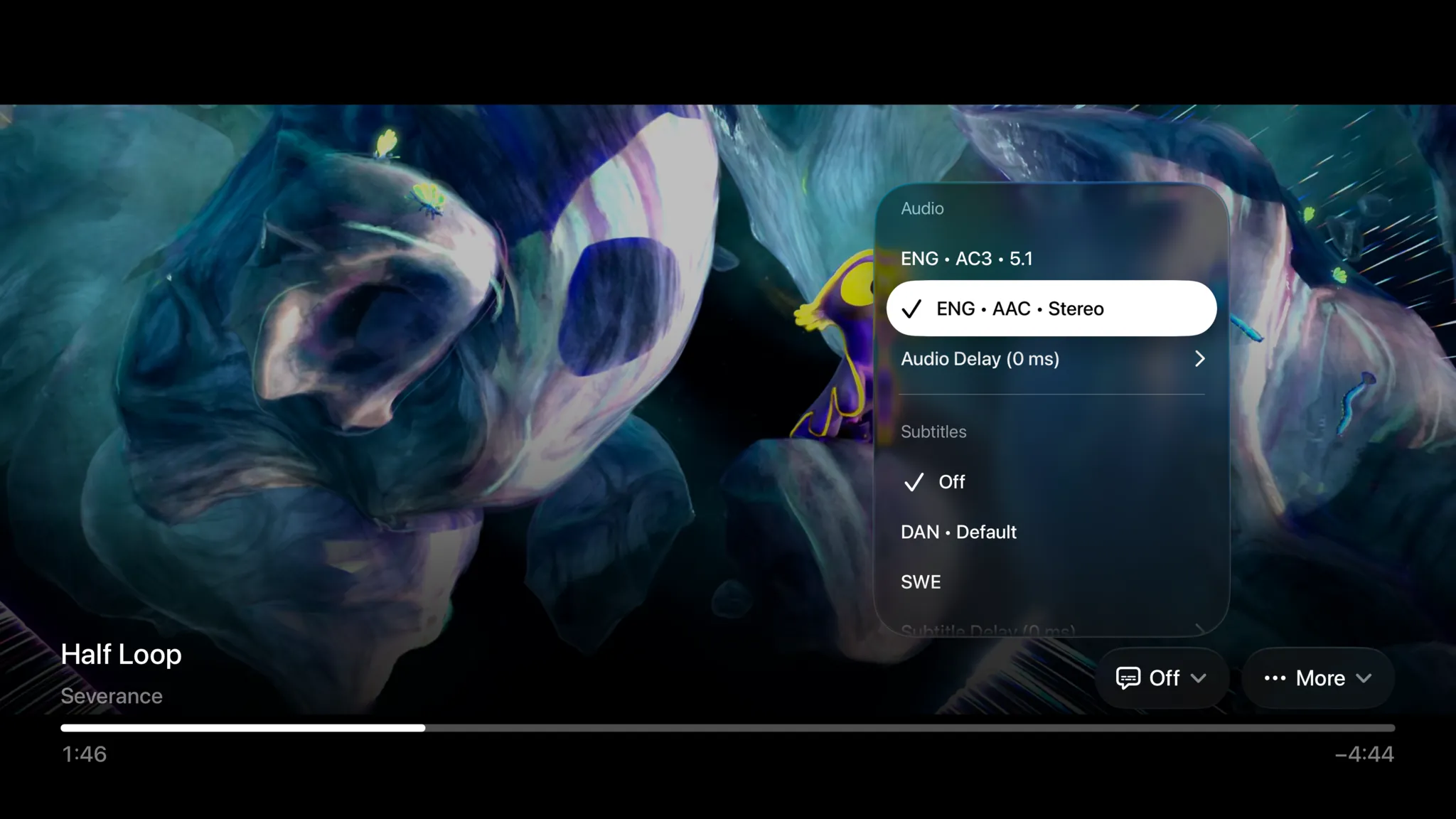
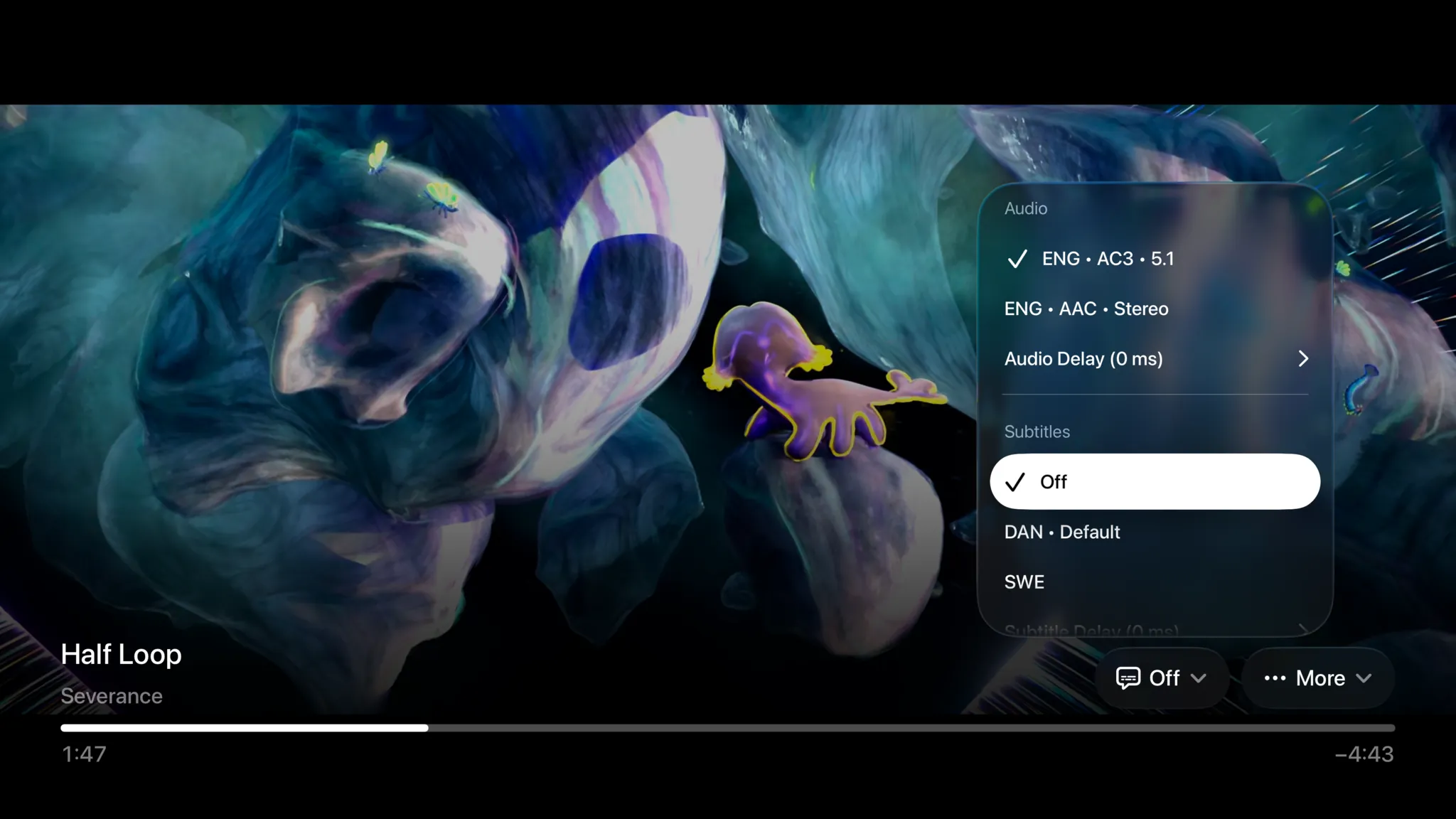
Switch between every audio track a file carries, lossless, dubbed or commentary, mid-playback. Subtitles work whether they're embedded, sitting next to the file as a sidecar, or a download away: SRT, ASS with full styling, WebVTT, bitmap PGS and live TV teletext all render correctly.
- Switch audio and subtitle tracks without restarting playback
- ASS subtitles render with their original fonts, colors and positioning
- Bitmap PGS, DVB and teletext subtitles, not just sidecar text files
- No subtitles in the file? Search OpenSubtitles from the player, or let a subscription fetch them automatically
The binge, without the filler.
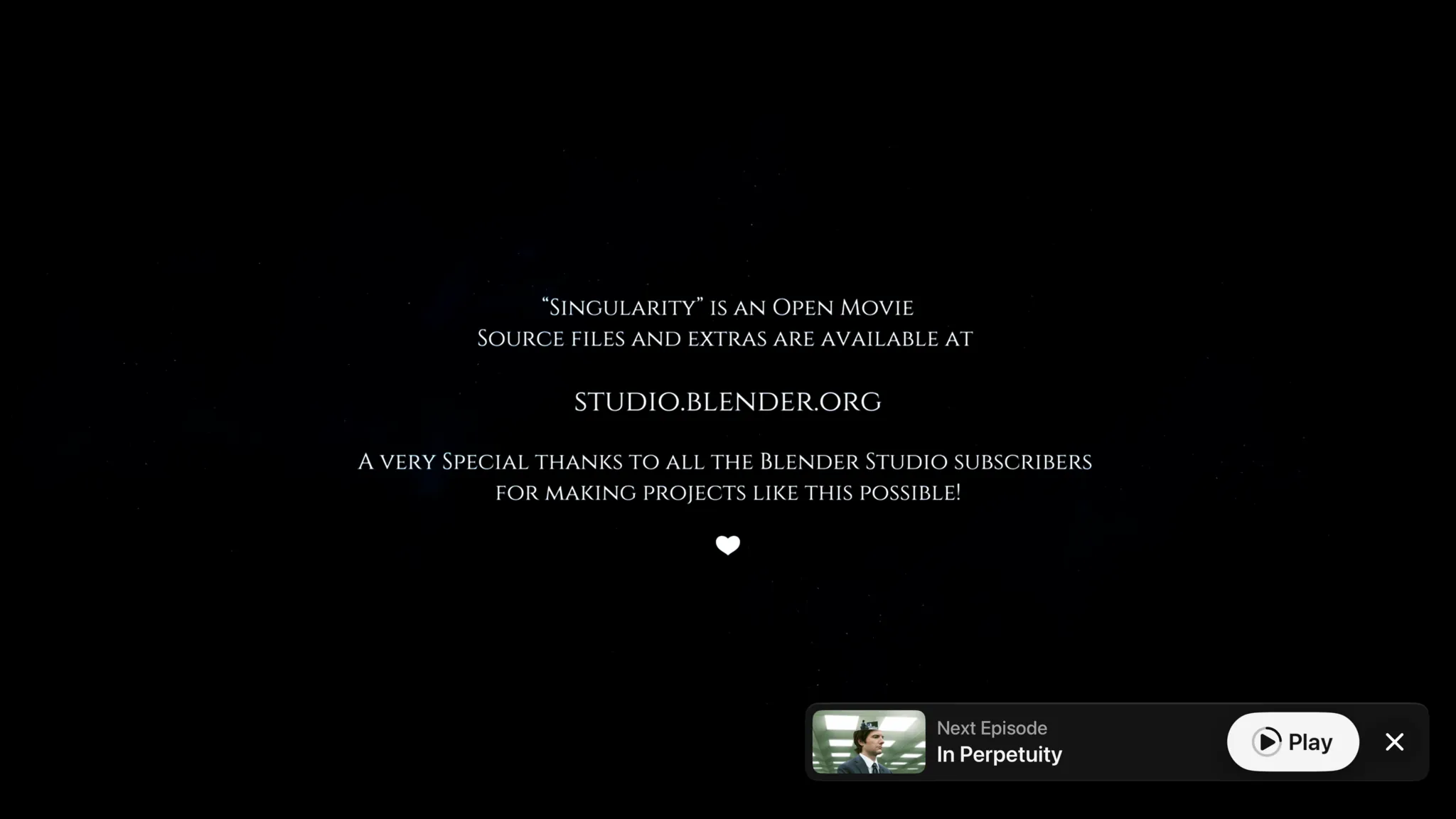
Timestamps from IntroDB put a Skip Intro button on screen the moment the theme starts, even for IPTV series with no server behind them. Credits are detected on the device, so the next episode is offered before they finish rolling.
- Skip Intro appears automatically, timed to the exact second
- Works on IPTV series too, no media server required
- Credits detected on-device, so the next episode is offered on time
- Autoplays the next episode when you let it


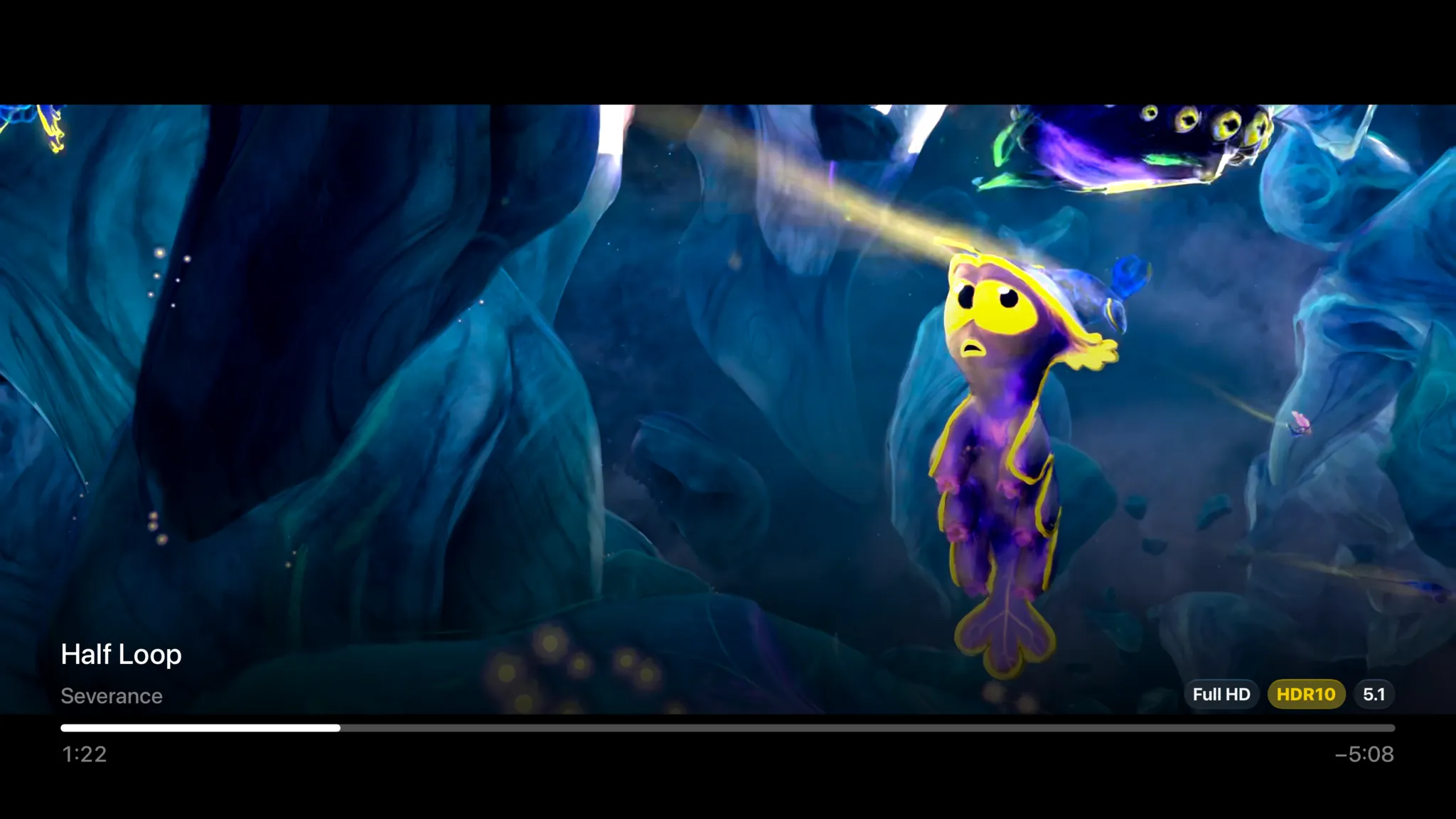
The details that add up
A player is a thousand small decisions. Spectati has already made these.
AirPlay
Send whatever is playing to an Apple TV or AirPlay speaker without leaving the app.
Picture in Picture
Keep the match in a floating window while you browse for what to watch next.
Network shares
Play files straight off an SMB share, or a WebDAV or SFTP folder in beta. A NAS full of remuxes needs no media server at all.
Bitrate, your call
Cap streaming at any level up to 200 Mb/s, or take it off entirely and let remuxes run free.
Any source
IPTV via M3U or Xtream, or your own Plex or Jellyfin server. The same player handles them all.
Smart recovery
Failed VOD streams retry with a freshly fetched URL instead of hammering a dead link.
Precise scrubbing
Frame-accurate seeking that lands where you aimed, even inside heavy 4K files.
Remembers your tracks
Preferred audio language and subtitle choices are applied automatically next time.
Press play before you connect anything.
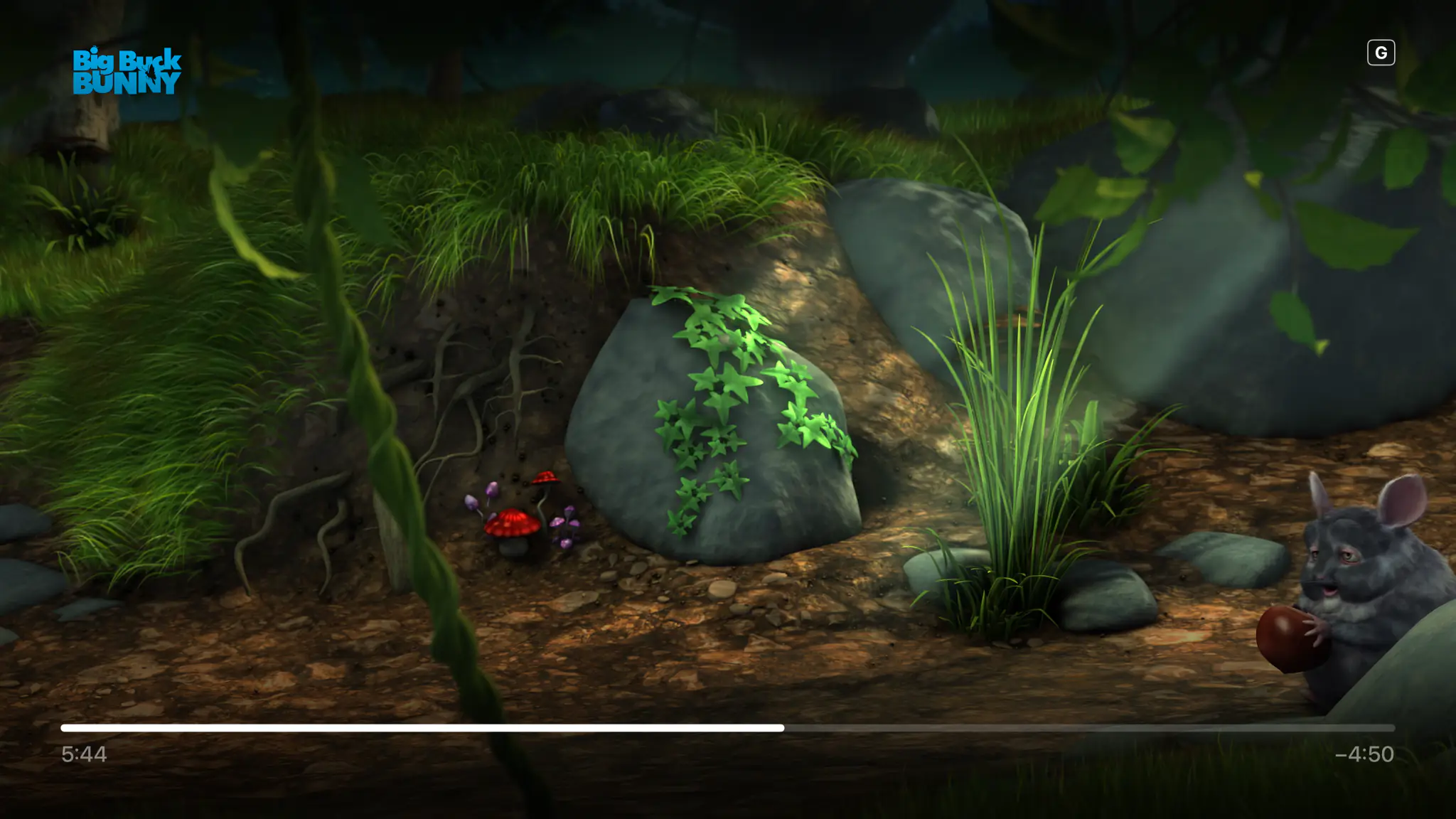
A new install is not an empty shelf asking for a server address. Four films are already on Home, and they play in seconds with no account, no playlist and no card. It is the real player on your own television, not a demo mode.
- Four Blender open movies, ready the moment you open the app
- Singularity is served in HDR10, so you see what full quality buys
- Nothing to sign up for and nothing that expires
- Connect Plex, Jellyfin or a playlist whenever you feel like it
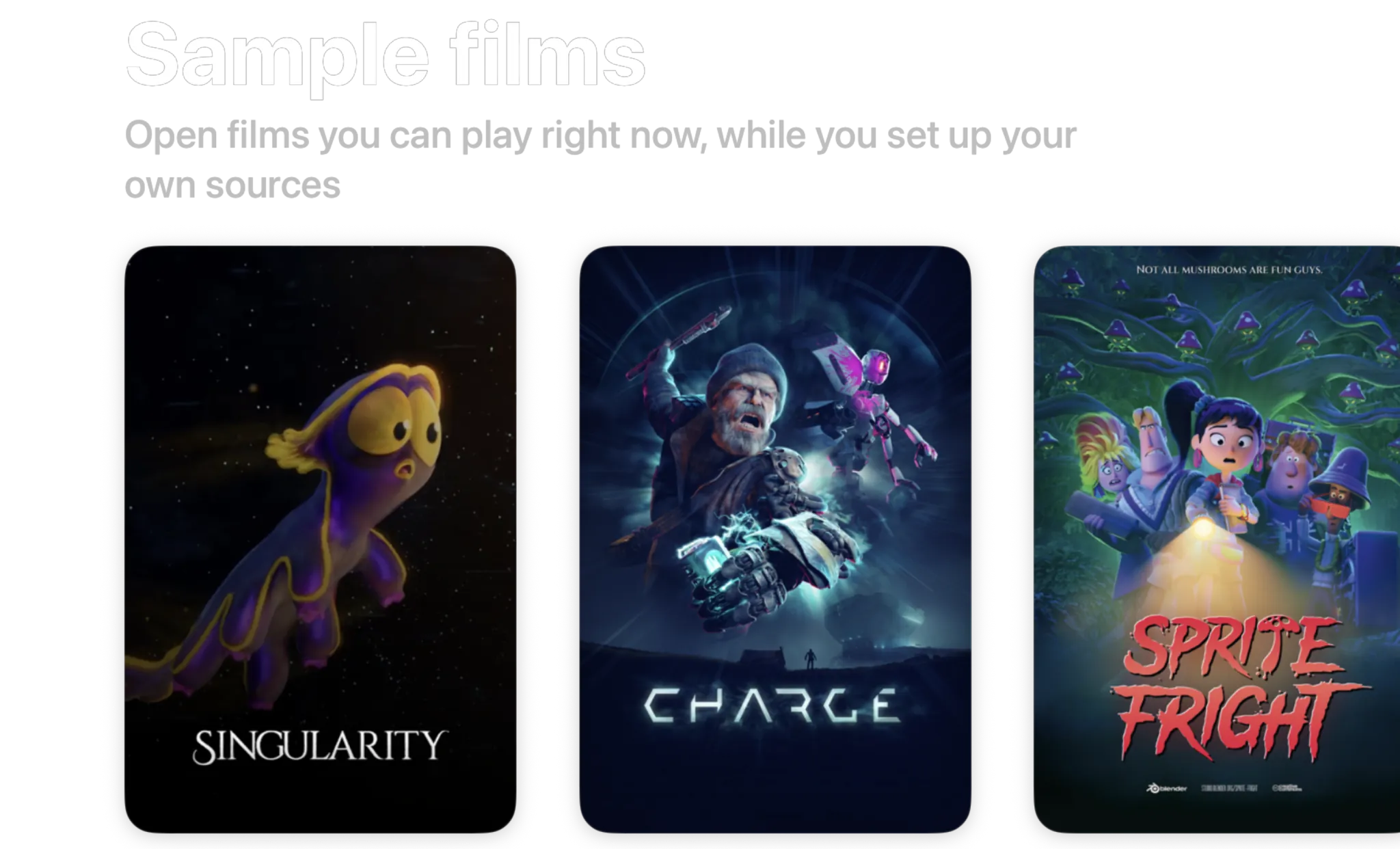
- Singularity2026 · 6 min · HDR10
- Charge2022 · 4 min · 1440p
- Sprite Fright2021 · 10 min · 1080p
- Big Buck Bunny2008 · 10 min · 720p
Blender open movies, licensed CC BY. Spectati streams them to a fresh install so there is something to watch before you connect anything.
Free to use. Pay only for full quality.
The same engine at every tier. Nothing is re-encoded, ever. The free tier direct-plays your 4K remuxes with no transcoding, in SDR. HDR and surround sound are what a subscription adds.
Free
No account neededInstall it and press play. There is no trial clock and no card.
- Plex, Jellyfin, IPTV and SMB file shares, plus Emby, WebDAV and SFTP in beta
- Up to 2 sources running at once
- Direct play of high-bitrate 4K remuxes, no transcoding
- Live TV with a full XMLTV program guide
- Favorites, hiding, renaming and sorting, channel by channel
- Parental PIN, age-rating limits and per-provider locks
Full quality
OptionalOr $2.99/month, or $99.99 once and never again
- HDR and surround sound
- More than 2 sources at once
- Offline downloads
- IPTV catch-up and on-demand
- Bulk channel tools and program reminders
- iCloud sync across your devices
- Automatic subtitles
- SIMKL and Trakt watch-history sync
- App icons and accent colors
- Automatic intro skipping
- Up to four live channels at once with Multiview
Bought inside the app, whenever you decide you want it. Apple handles it via In-App Purchase, with Family Sharing. Both subscriptions start with a 7-day free trial. Manage or cancel anytime from your Apple ID.
- Unlimited devices
- All providers
- tvOS, iOS, iPadOS and macOS
- Family Sharing
- Cancel anytime
Playback questions, answered.
Still curious about a format or a codec? Get in touch.
Does Spectati really direct-play high-bitrate 4K remuxes?
Yes. Spectati plays 80 Mb/s+ 4K remuxes on the device with no server transcoding, and the optional bitrate cap goes up to 200 Mb/s. The limit is your connection, not the player.
Does it support Dolby Vision, HDR10+ and Dolby Atmos?
Yes. Dolby Vision, HDR10+, HDR10 and HLG go to your display with their dynamic metadata intact. Dolby Atmos in Dolby Digital Plus reaches the receiver untouched, TrueHD and DTS play as 5.1 Dolby Digital Plus, and TrueHD Atmos and DTS:X keep their height channels on AirPods, HomePods and Atmos receivers. HDR and surround are subscription features. The free tier plays the same file in SDR.
What happens when a live IPTV stream drops out?
Short gaps play out of the buffer. If the feed stops, Spectati opens a new connection and rejoins at the live edge, and if reconnecting keeps failing, its second playback engine tries the same stream. Only when a feed is really down do you see an error, and it names the cause.
Which subtitle formats are supported?
SRT, ASS/SSA with full styling, WebVTT, bitmap formats like PGS, and DVB teletext subtitles embedded in live TV broadcasts are supported. File-based subtitles can be embedded, stored as a sidecar, or downloaded in-app from OpenSubtitles. You can switch subtitle and audio tracks mid-playback without restarting.
How does intro skipping work without a media server?
Intro timestamps come from a community intro database keyed by series and episode, so a Skip Intro button appears at the right second even on plain IPTV series. Credits are detected on-device, which is how "Up next" and autoplay arrive right on cue.
Can it play files AVPlayer normally refuses, like MKV with DTS?
Yes. Formats Apple’s native player handles well stay native. Everything else, MKV containers, DTS and TrueHD audio, ASS subtitles, interlaced MPEG-TS, goes to Spectati’s own FFmpeg-based engine. You never pick. The engine is chosen per stream.
Stop letting a player stand between you and the file.
Spectati is free on Apple TV, iPhone, iPad and Mac. Four films are already on Home (one of them in HDR), so you can hear and see the engine before you connect a server.
Also on Apple TV, iPad and Mac
Requires tvOS, iOS, iPadOS or macOS 26