A Jellyfin client written for Apple TV.
A native app for Apple TV, iPhone, iPad and Mac, not a web view in a wrapper.


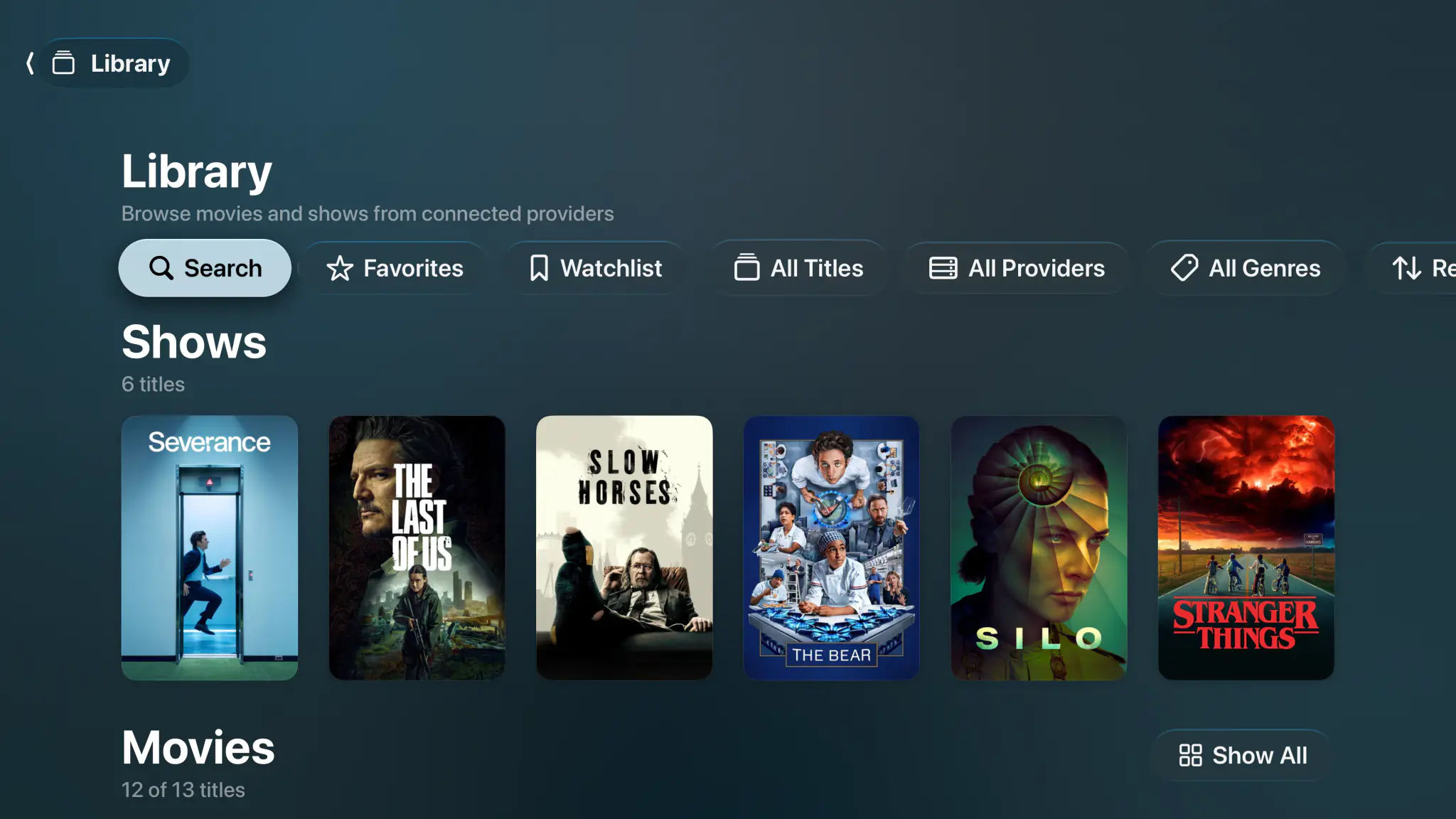
- Apple TV
- iPhone & iPad
- Mac
- Direct play
- 4K Dolby Vision
- Dolby Atmos
- No transcoding
- iCloud sync
Not another web view.
Plenty of Jellyfin clients on Apple TV are the web dashboard in a wrapper, or a phone layout stretched across the living room. Spectati is Swift on each Apple platform: the tvOS focus engine, artwork that is there before you land on it, and a Siri Remote that scrubs with momentum.
- Native tvOS focus engine and Top Shelf integration
- Touchpad scrubbing with natural momentum on the Siri Remote
- One app for Apple TV, iPhone, iPad and Mac
- Your Jellyfin credentials stay on your devices, never on our servers
A 4K Dolby Vision remux on your Jellyfin server, direct played.


Direct play, not server strain.
On Apple TV 4K, Spectati passes Dolby Vision, HDR10+, HDR10 and HLG straight to your TV. Dolby Atmos in Dolby Digital Plus reaches the receiver untouched, TrueHD and DTS play as 5.1 Dolby Digital Plus, and TrueHD Atmos and DTS:X keep their height channels on AirPods, HomePods and Atmos receivers. High-bitrate 4K remuxes play directly from your Jellyfin server, with no transcoding and no pegged CPU.
- Direct-plays 80 Mb/s+ remuxes without server transcoding
- Dolby Vision, HDR10+, HDR10 and HLG passthrough
- Atmos in Dolby Digital Plus untouched, TrueHD Atmos and DTS:X with their height channels
- Subtitle and audio track selection, remembered per title
Jellyfin, Plex and IPTV, side by side.
You do not have to pick one ecosystem. Connect your Jellyfin server, a Plex server and your IPTV playlist at the same time. Spectati shows them as one library, folds duplicate titles into one entry, and keeps one Continue Watching row across all of them.
- Run Jellyfin and Plex servers together in one app
- Add Xtream Codes and M3U IPTV for live channels
- Smart de-duplication across overlapping libraries
- One interface, whichever source a title came from
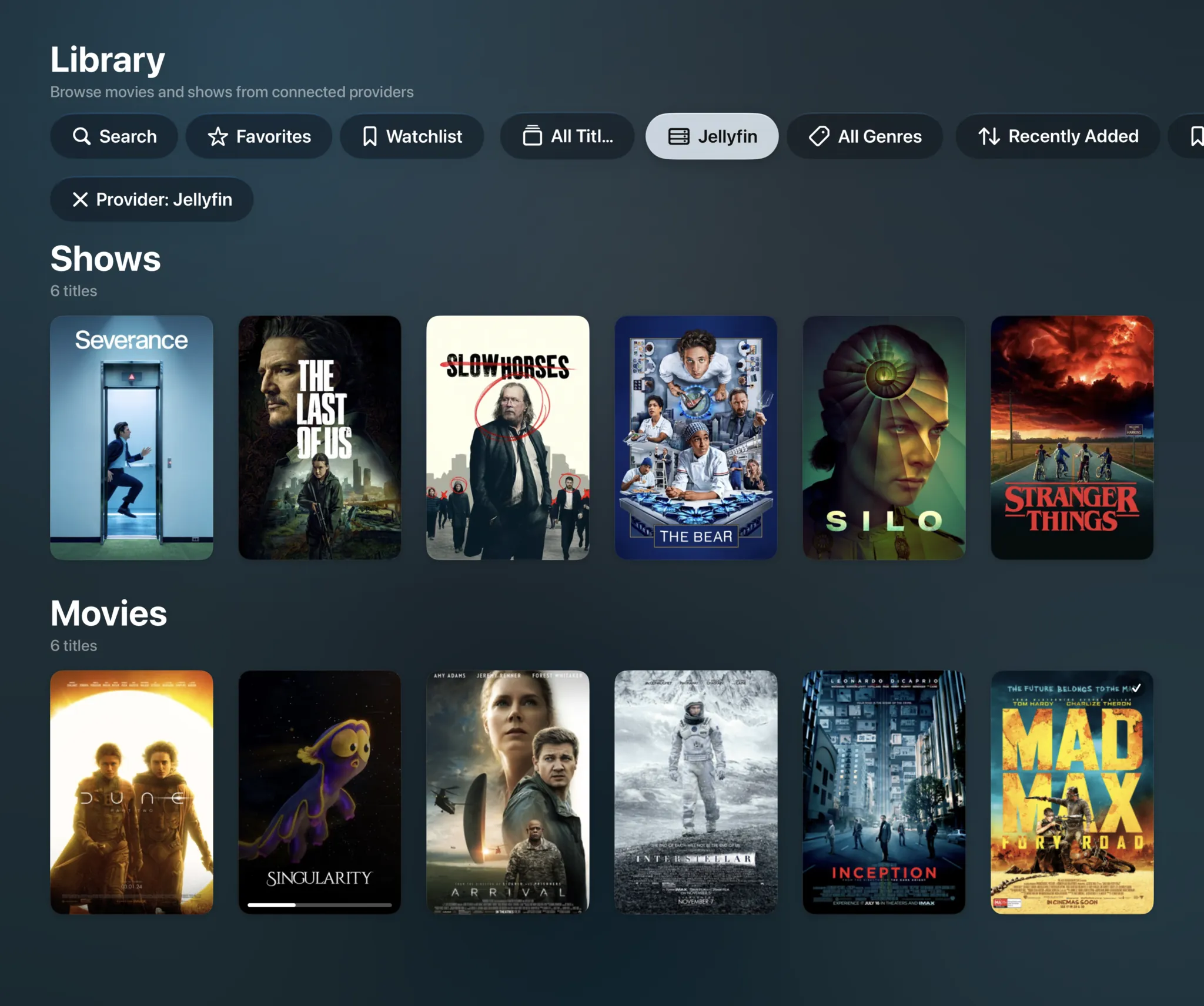
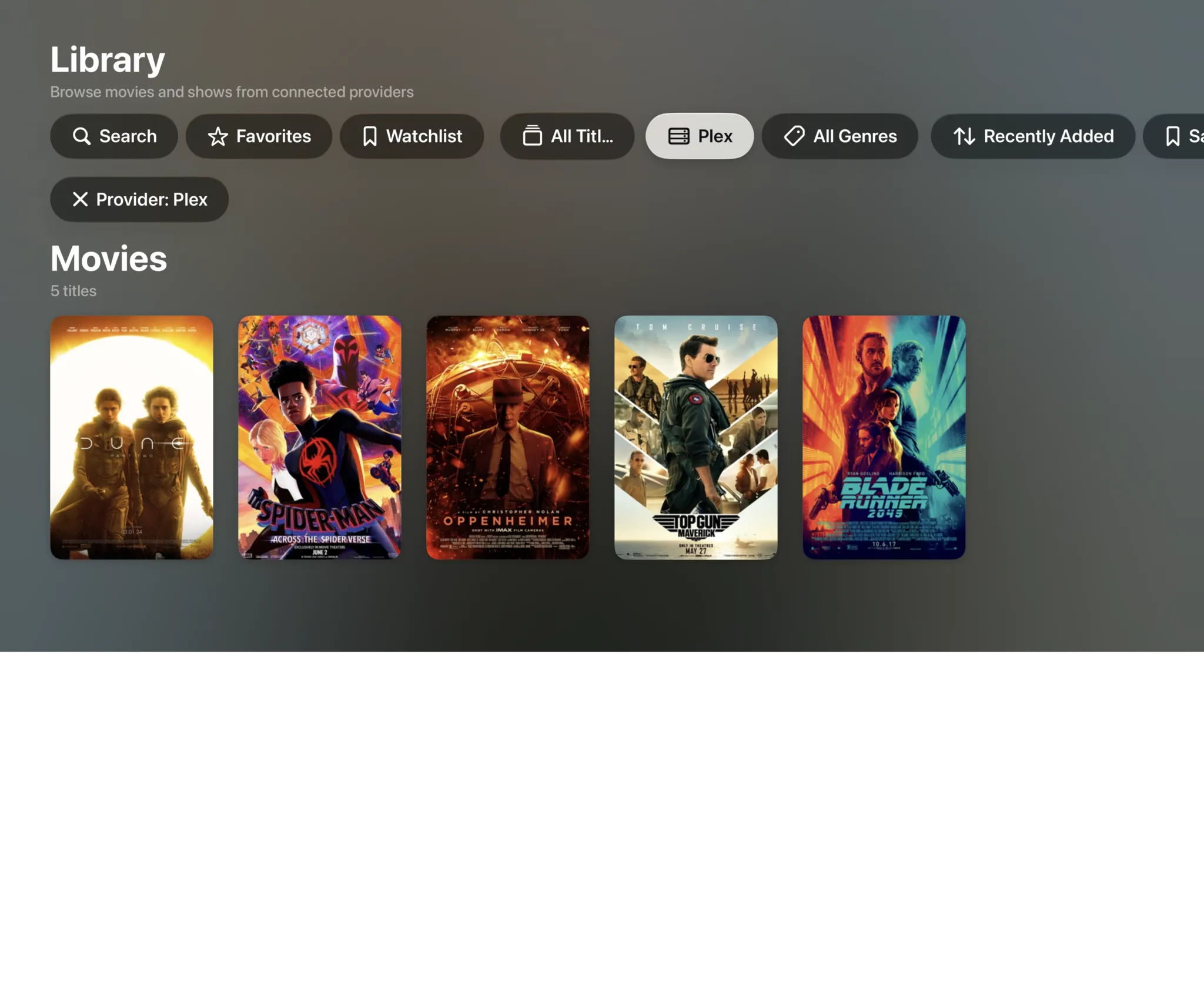
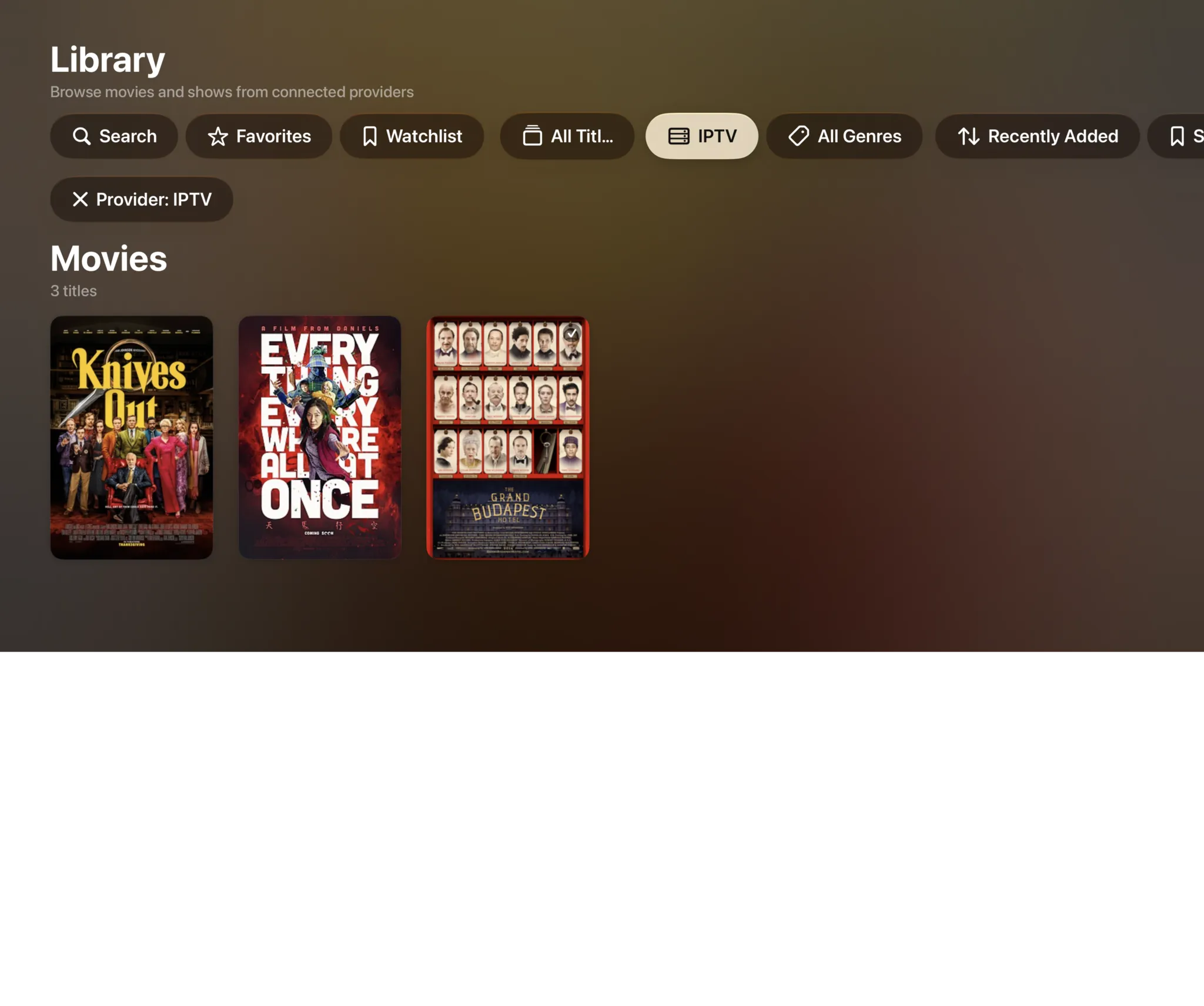
Filtered to Jellyfin: 6 shows and 6 movies
A complete Jellyfin client
The same engine and the same tools on every Apple device.
Your whole library
Movies, shows, seasons, collections and music, with fast artwork and rich metadata.
Jellyfin Live TV & EPGSoon
Browse a full-screen program guide and jump straight into live channels from your tuner.
4K Dolby Vision & Atmos
Direct-plays high-bitrate remuxes with Dolby Vision, HDR10+ and Atmos untouched.
Learn moreiCloud sync
With a subscription, favorites, hidden items and watch progress follow you between Apple TV, iPhone, iPad and Mac.
Resume everywhere
Start on the couch and finish on the train. With a subscription, playback position stays in sync across devices.
PIN locks
Lock libraries, categories or whole servers behind a PIN with a maturity limit.
Private by design
Your Jellyfin server details and tokens stay on your devices and your iCloud.
No ads
Free or subscribed, nothing is put over the picture and nothing interrupts a film.
Free to use. Pay only for full quality.
Your server, your files, no ads and no add-ons. The free tier direct-plays your 4K remuxes with no transcoding, in SDR. HDR and surround sound are what a subscription adds.
Free
No account neededInstall it and press play. There is no trial clock and no card.
- Plex, Jellyfin, IPTV and SMB file shares, plus Emby, WebDAV and SFTP in beta
- Up to 2 sources running at once
- Direct play of high-bitrate 4K remuxes, no transcoding
- Live TV with a full XMLTV program guide
- Favorites, hiding, renaming and sorting, channel by channel
- Parental PIN, age-rating limits and per-provider locks
Full quality
OptionalOr $2.99/month, or $99.99 once and never again
- HDR and surround sound
- More than 2 sources at once
- Offline downloads
- IPTV catch-up and on-demand
- Bulk channel tools and program reminders
- iCloud sync across your devices
- Automatic subtitles
- SIMKL and Trakt watch-history sync
- App icons and accent colors
- Automatic intro skipping
- Up to four live channels at once with Multiview
Bought inside the app, whenever you decide you want it. Apple handles it via In-App Purchase, with Family Sharing. Both subscriptions start with a 7-day free trial. Manage or cancel anytime from your Apple ID.
- Unlimited devices
- All providers
- tvOS, iOS, iPadOS and macOS
- Family Sharing
- Cancel anytime
Jellyfin questions, answered.
Still curious about Spectati as a Jellyfin client? Get in touch.
Is Spectati a good Jellyfin client for Apple TV?
Spectati is built for tvOS rather than wrapping the Jellyfin web dashboard, which is what many clients do. That means real Siri Remote gestures, the tvOS focus engine, Top Shelf and a player that direct-plays 4K Dolby Vision and Dolby Atmos. It also runs on iPhone, iPad and Mac. It is free to use, and a subscription adds full quality, offline downloads and iCloud sync.
Does Spectati work as a Jellyfin client on iPhone, iPad and Mac?
Yes. It is one app for Apple TV, iPhone, iPad and Mac, free on all of them, and one subscription with Family Sharing covers the lot. Watch progress goes back to Jellyfin itself. Favorites and hidden items sync through iCloud with a subscription, and a SIMKL or Trakt account can carry watch history too.
Can Spectati direct-play 4K Dolby Vision and Atmos from Jellyfin?
Yes. On Apple TV 4K, Spectati passes Dolby Vision, HDR10+, HDR10 and HLG to your display. Dolby Atmos in Dolby Digital Plus reaches the receiver untouched, TrueHD and DTS play as 5.1 Dolby Digital Plus, and TrueHD Atmos and DTS:X keep their height channels on AirPods, HomePods and Atmos receivers. High-bitrate 4K remuxes play directly from your Jellyfin server without transcoding, so your server CPU stays idle.
Does Spectati support Jellyfin Live TV and an EPG?
Jellyfin Live TV support is in development and coming in a future update. Today you can add Xtream Codes and M3U IPTV playlists in the same app for live channels with a full program guide.
Can I use Jellyfin and Plex in the same app?
Yes. Spectati connects to Jellyfin servers, Plex servers and IPTV playlists at once and merges them into a single interface, with smart de-duplication of overlapping content and unified watch progress.
Is my Jellyfin server information kept private?
Yes. Your Jellyfin server addresses, credentials and tokens stay on your Apple devices and in your personal iCloud. Spectati does not route your library or credentials through our servers.
Give your Jellyfin server the client it's earned.
Spectati is free on Apple TV, iPhone, iPad and Mac. Press play on one of the four sample films first if you like, then connect Jellyfin, and Plex and IPTV too, in a couple of minutes.
Also on Apple TV, iPad and Mac
Requires tvOS, iOS, iPadOS or macOS 26