Plex and Jellyfin, in one native app.
Plex and Jellyfin at the same time, in one library with one search and one Continue Watching row.


- Plex
- Jellyfin
- Multiple servers
- Deduplication
- Direct play
- Apple TV
- iPhone, iPad & Mac
- IPTV too
Two servers, one library.
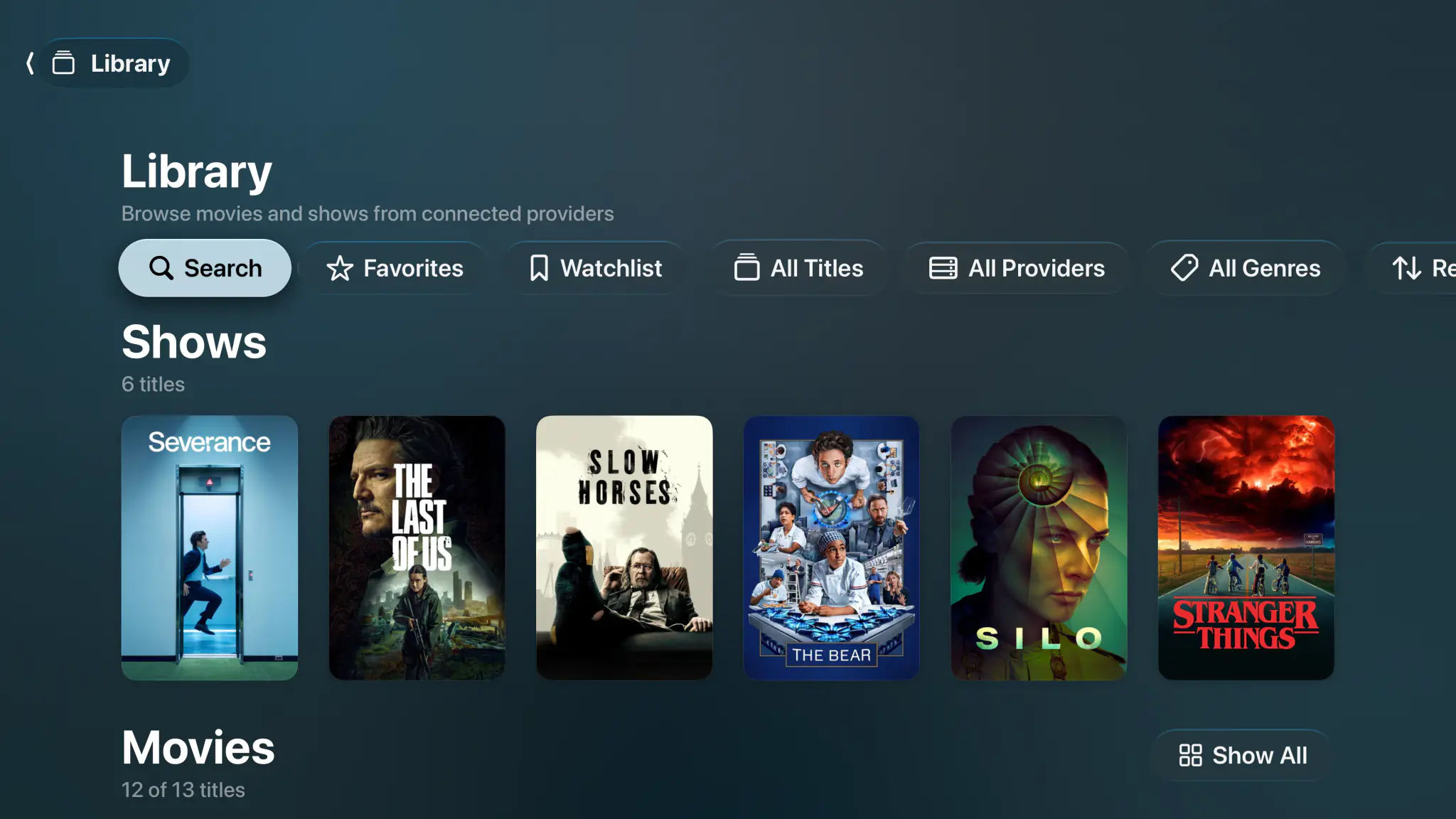
Plex for the family and Jellyfin for yourself is a common setup, and it usually means two apps. Spectati signs into both and shows one library. A title that exists on both servers shows up once, and it plays from the server you put first.
- Up to 2 servers running at once on the free tier, unlimited with a subscription
- Duplicate titles merged, played from the server you put first
- One search across movies, shows, episodes and live channels
- Filter your library by provider, genre, favorites or watchlist
Written for tvOS, not ported to it.
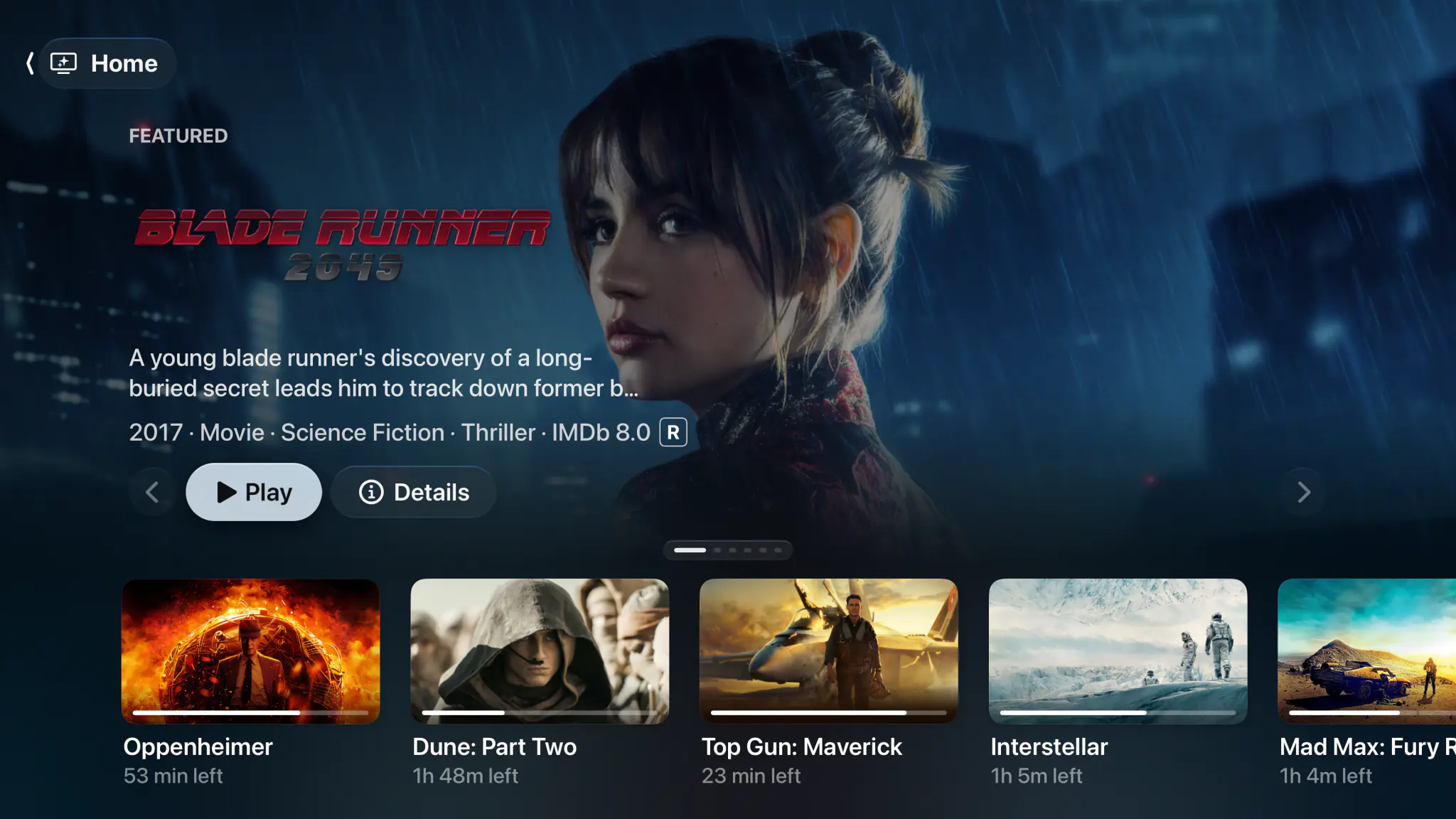
Spectati is Swift on every Apple platform. On Apple TV that means the real focus engine, Top Shelf rows, and touchpad scrubbing with momentum. On iPhone, iPad and Mac it is the same app laid out for the device, not a phone screen stretched across a monitor.
- Native tvOS focus engine, Top Shelf and touchpad scrubbing
- One app for Apple TV, iPhone, iPad and Mac, one purchase if you subscribe
- Ratings, cast, artwork and metadata read straight from your server
- Favorites, hidden items and access rules sync through iCloud, with a subscription
- Apple TV user profiles: personal watch history per household member


A complete client
The same engine and the same tools on every Apple device.
Your whole library
Movies, shows, seasons and collections from every server, on one set of shelves.
Smart deduplication
The same film on two servers becomes one entry, played from whichever source is best.
Continue Watching
Progress is written back to Plex and Jellyfin, so watched state stays right everywhere.
Direct play
High-bitrate 4K remuxes play untouched, Dolby Vision, HDR10+ and Atmos intact.
One search
Titles, episodes and live channels across every connected source at once.
IPTV alongside
M3U and Xtream playlists with a full XMLTV guide, in the same app as your servers.
Offline downloads
Save movies and episodes to iPhone, iPad and Mac where the source allows it, with a subscription.
iCloud sync
With a subscription, favorites, hidden items and access rules follow you between Apple devices.
PIN locks
Lock libraries, categories or whole servers behind a PIN with an age-rating limit.
Private by design
Server addresses and credentials stay on your devices and in your own iCloud.
No ads
Free or subscribed, nothing is put over the picture and nothing interrupts a film.
Bring your own server
Spectati hosts nothing. It connects to the Plex and Jellyfin servers you already run.
Your server sends the file. Its CPU stays idle.
A 4K remux from Plex or Jellyfin plays as the file it is, with no server transcode. Dolby Vision, HDR10+, HDR10 and HLG go to the display. Dolby Atmos in Dolby Digital Plus reaches the receiver untouched, TrueHD and DTS play as 5.1 Dolby Digital Plus, and TrueHD Atmos and DTS:X keep their height channels on AirPods, HomePods and Atmos receivers.
- Direct play from the server, with no transcoding
- Dolby Vision, HDR10+, HDR10 and HLG passthrough
- Atmos in Dolby Digital Plus untouched, TrueHD Atmos and DTS:X with their height channels
- Broad codec support, with audio and subtitle delay and playback speed

Add live channels without a second app.
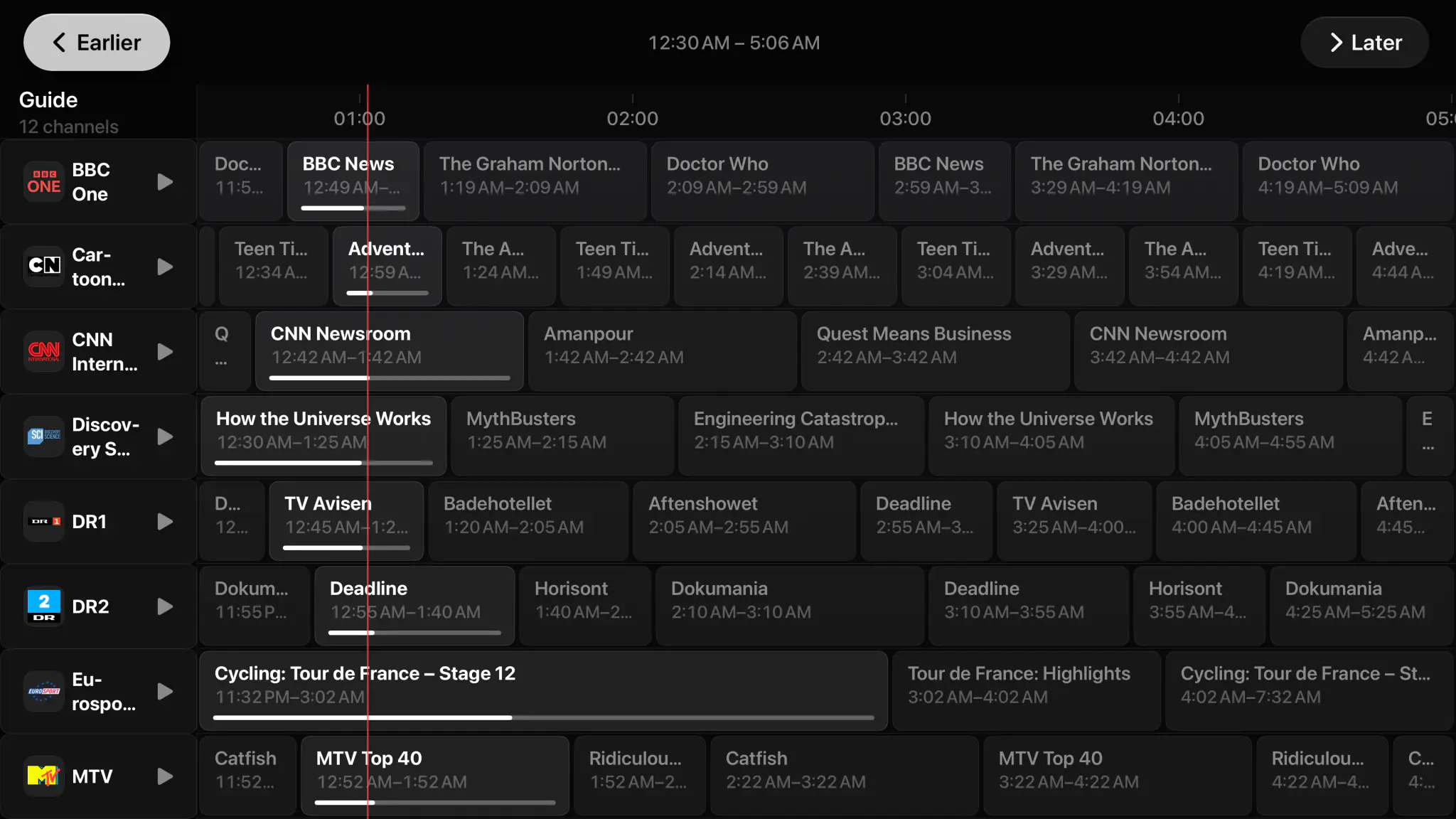
Spectati also takes M3U and M3U8 playlists, JSON playlists and Xtream-compatible providers, with a full XMLTV program guide. Your live channels sit beside your server libraries, share the same search, and answer to the same curation and PIN rules.
- M3U, M3U8, JSON playlists and Xtream-compatible providers
- Full XMLTV program guide with now, next and live progress
- Categories, favorites, renaming and hiding for large lineups
- One PIN and age-rating policy across servers and channels alike

Free to use. Pay only for full quality.
No ads, no add-ons, and your servers stay yours. The free tier direct-plays your 4K remuxes with no transcoding, in SDR. HDR and surround sound are what a subscription adds.
Free
No account neededInstall it and press play. There is no trial clock and no card.
- Up to 2 servers or playlists at once
- Plex and Jellyfin, plus Emby in beta, in one library
- Cross-server deduplication and best-source selection
- Direct play of your 4K remuxes, no transcoding
- Progress written back to Plex and Jellyfin
Full quality
OptionalOr $2.99/month, or $99.99 once and never again
- HDR and surround sound
- Unlimited servers and playlists at once
- Offline downloads and automatic subtitles
- iCloud sync of favorites, curation and watch state
- SIMKL and Trakt watch-history sync
- IPTV catch-up and on-demand
Bought inside the app, whenever you decide you want it. Apple handles it via In-App Purchase, with Family Sharing. Both subscriptions start with a 7-day free trial. Manage or cancel anytime from your Apple ID.
- Unlimited devices
- All providers
- tvOS, iOS, iPadOS and macOS
- Family Sharing
- Cancel anytime
Server questions, answered.
Something we did not cover? Get in touch.
Can Spectati connect to Plex and Jellyfin at the same time?
Yes. Spectati merges every server you connect into one home screen, one library and one search, and you can add IPTV playlists via M3U or Xtream in the same app. The free tier runs 2 sources at once; a subscription removes the limit.
What happens when the same film is on both servers?
Spectati merges duplicates into a single entry and plays it from whichever server you put first in Settings. You can still pick the other copy from the detail screen.
Does Continue Watching sync back to my server?
Yes. Playback position and watched state go back to Plex and Jellyfin, so Continue Watching is right in every client you use, not only Spectati. Favorites and hidden items sync through your iCloud with a subscription. A SIMKL or Trakt account, also with a subscription, gets finished movies and episodes marked there and your SIMKL history pulled back in. Your servers stay the record of what you watched on them.
Will my 4K remuxes direct-play without transcoding?
On Apple TV 4K, Spectati direct-plays high-bitrate remuxes with no server transcode, and passes Dolby Vision, HDR10+, HDR10 and HLG to your display. Dolby Atmos in Dolby Digital Plus reaches the receiver untouched, TrueHD and DTS play as 5.1 Dolby Digital Plus, and TrueHD Atmos and DTS:X keep their height channels on AirPods, HomePods and Atmos receivers.
Which devices does it run on?
Apple TV, iPhone, iPad and Mac. The app is free on all of them, and one subscription, with Family Sharing, covers all of them too. With it, your setup follows you through iCloud. On Apple TV, Spectati runs as the current Apple TV user, so everyone in the house keeps their own watch history and favorites.
Do you store my server credentials?
No. Your Plex and Jellyfin account and server details stay on your devices and in your own iCloud. Spectati hosts no media and runs no proxy between you and your server.
Give your servers a client worth watching on.
Spectati is free on Apple TV, iPhone, iPad and Mac. Sign into Plex and Jellyfin in a couple of minutes, and bring your IPTV playlist along.
Also on Apple TV, iPad and Mac
Requires tvOS, iOS, iPadOS or macOS 26