TiviMate for Apple TV does not exist.
There is no tvOS version to sideload. Spectati does the same job, built for Apple TV from the start.


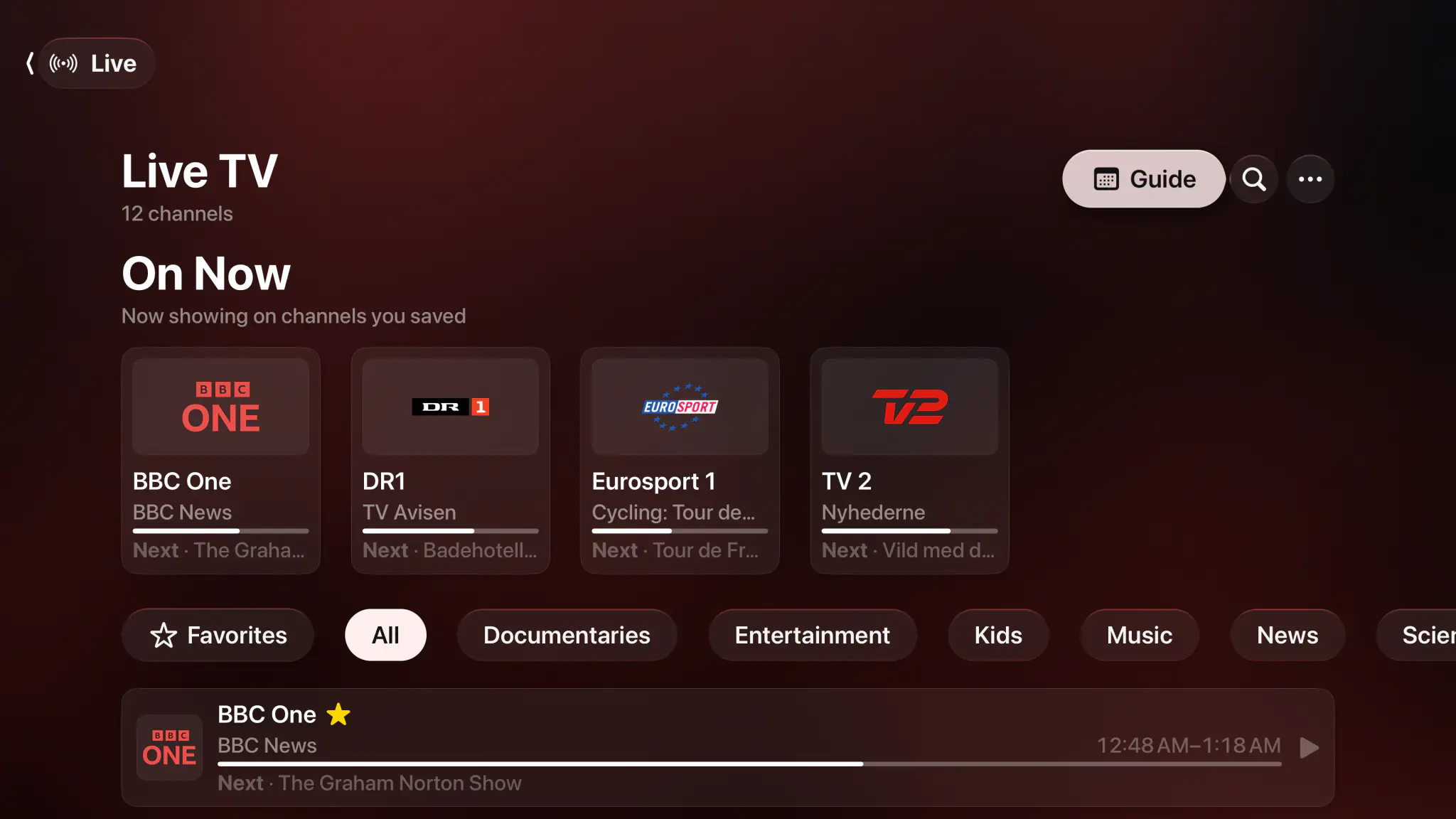
- Apple TV
- iPhone & iPad
- Mac
- M3U & M3U8
- Xtream Codes
- XMLTV guide
- Catch-up
- Channel curation
Same job, different platform.
On what an IPTV player has to do, the two overlap almost completely. The first three rows decide it, and they are about which television you own.
| Capability | Spectati | TiviMate |
|---|---|---|
| Runs on Apple TV (tvOS) | Yes | No |
| Runs on iPhone, iPad and Mac | Yes | No |
| Runs on Android TV | No | Yes |
| M3U, M3U8 and Xtream playlists | Yes | Yes |
| Full XMLTV program guide | Yes | Yes |
| Catch-up from your provider | Yes | Yes |
| Hide, favorite, rename and recategorize channels | Yes | Yes |
| Merge SD/HD/FHD duplicates into one channel | Yes | Yes |
| Plex and Jellyfin libraries (Emby in beta) in the same app | Yes | No |
| Setup by QR code from your phone | Yes | No |
| Dolby Vision to the display, Dolby Atmos to the receiver | Yes | Depends on the device |
Written by Spectati and checked against TiviMate's published platform support and feature list in August 2026. Spectati is not affiliated with TiviMate; feature sets change, so check theirs before you decide.
Never type an Xtream password with the Siri Remote.
Spectati puts a QR code and a short setup code on the television. You scan it with your phone, paste your details there, and they travel to the Apple TV over your own network, never through anyone's server. About a minute, start to finish.
- Scan a QR code and finish setup on your phone
- Works for Xtream Codes logins, M3U URLs, Plex and Jellyfin alike
- A setup code confirms it is really your TV, on your network
- Credentials stay on your devices and in your own iCloud
The part people liked about TiviMate is here too.
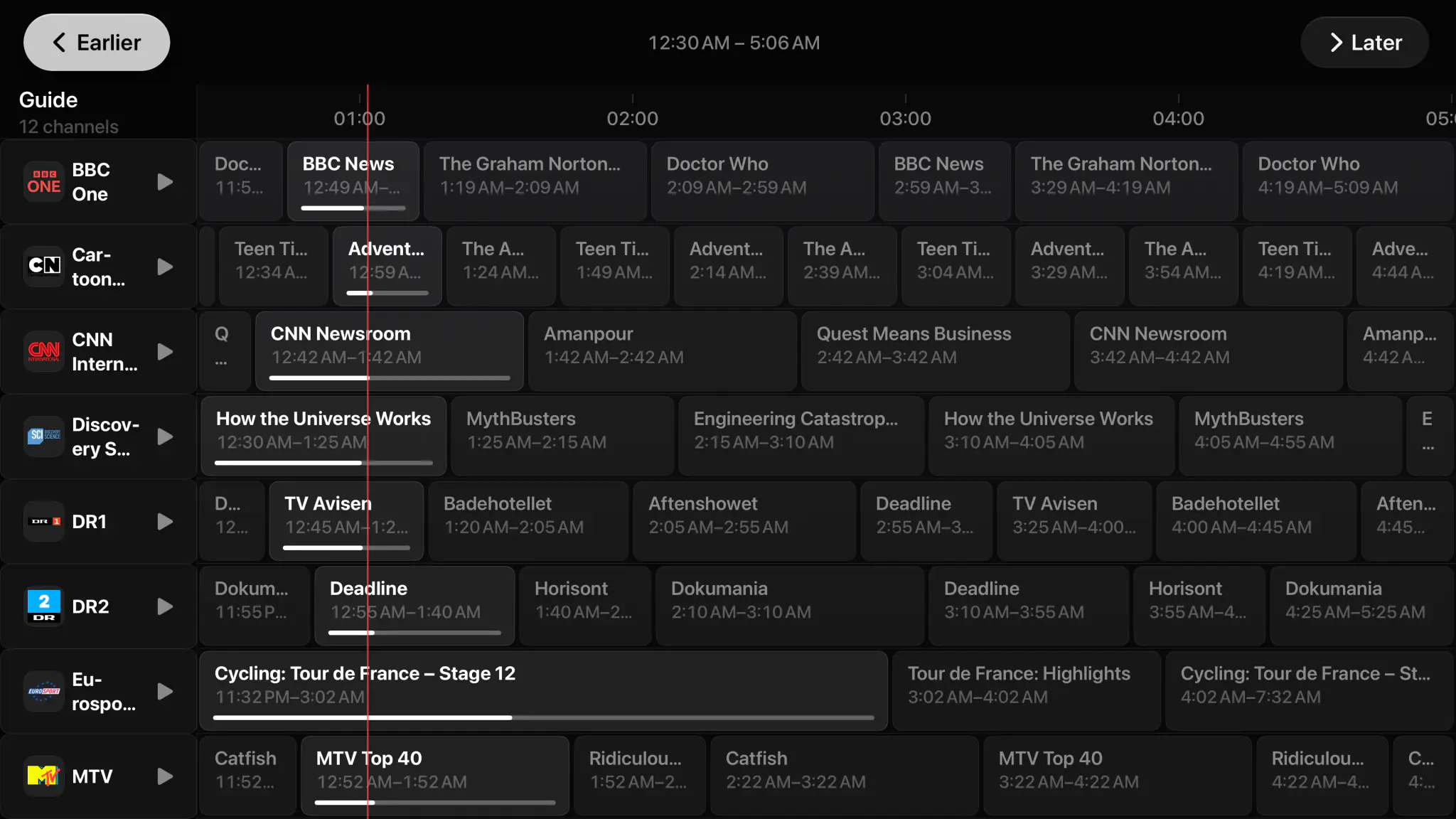
What people liked about TiviMate was rarely playback. It was that a huge, messy playlist could be made livable. Spectati does the same work: hide channels and entire categories, favorite what matters, rename and reorder, group them your way, and merge every SD/HD/FHD duplicate into one entry. The choices survive a playlist refresh.
- Hide channels and whole categories from browsing, search and the guide
- Custom categories, renaming and sorting that outlive a refresh
- Automatic SD/HD/FHD duplicate merging with feed variants you pick
- Wildcard rules that match thousands at once, with a subscription
- Channel up and down zapping straight from the player

Press play before you connect anything.
A new install is not an empty shelf asking for a server address. Four films are already on Home, and they play in seconds with no account, no playlist and no card. It is the real player on your own television, not a demo mode.
- Four Blender open movies, ready the moment you open the app
- Singularity is served in HDR10, so you see what full quality buys
- Nothing to sign up for and nothing that expires
- Connect Plex, Jellyfin or a playlist whenever you feel like it
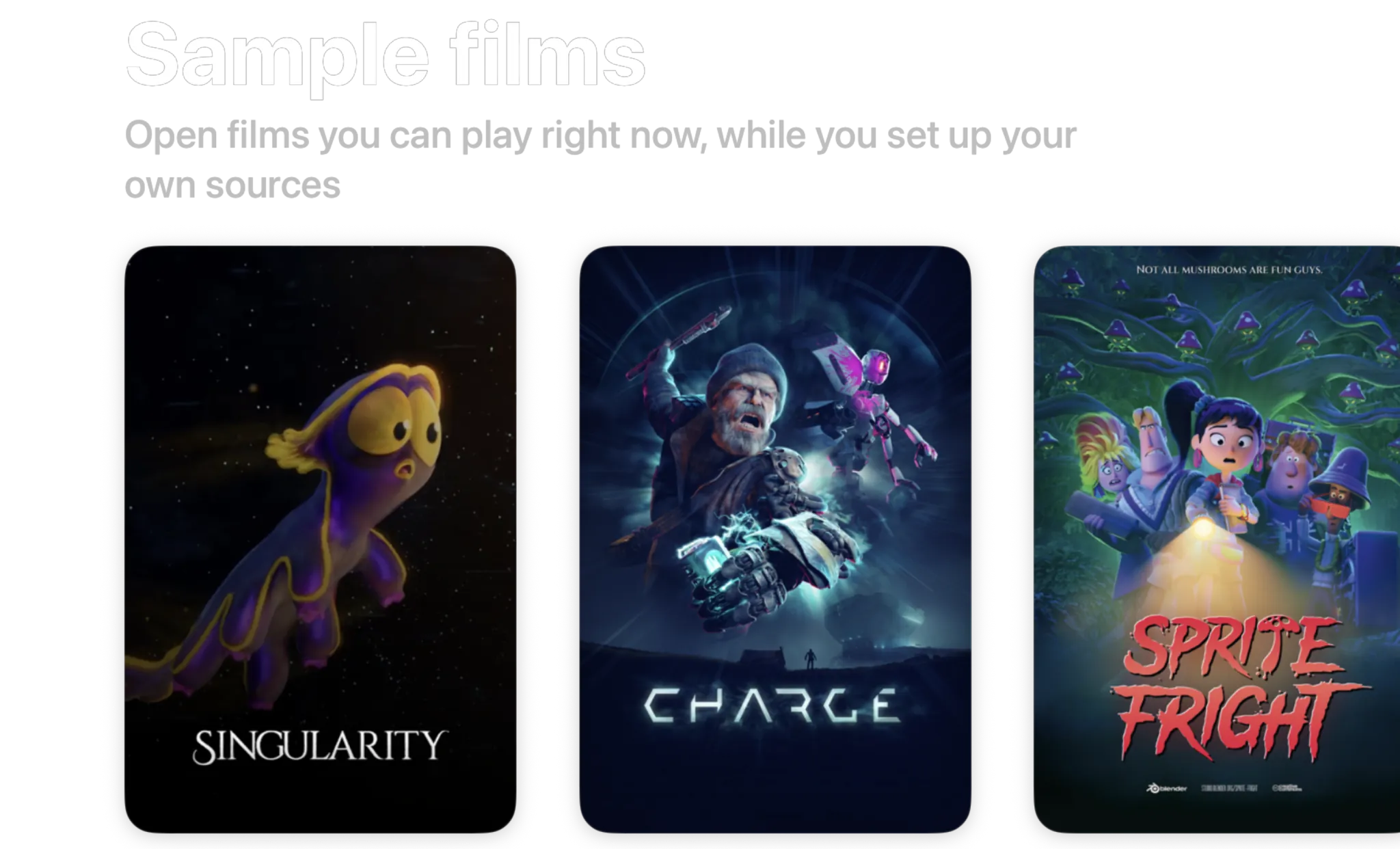
- Singularity2026 · 6 min · HDR10
- Charge2022 · 4 min · 1440p
- Sprite Fright2021 · 10 min · 1080p
- Big Buck Bunny2008 · 10 min · 720p
Blender open movies, licensed CC BY. Spectati streams them to a fresh install so there is something to watch before you connect anything.
Free to use. Pay only for full quality.
No ads, and nothing to decide before you have watched something. The free tier direct-plays your 4K remuxes with no transcoding, in SDR. HDR and surround sound are what a subscription adds.
Free
No account neededInstall it and press play. There is no trial clock and no card.
- Plex, Jellyfin, IPTV and SMB file shares, plus Emby, WebDAV and SFTP in beta
- Up to 2 sources running at once
- Direct play of high-bitrate 4K remuxes, no transcoding
- Live TV with a full XMLTV program guide
- Favorites, hiding, renaming and sorting, channel by channel
- Parental PIN, age-rating limits and per-provider locks
Full quality
OptionalOr $2.99/month, or $99.99 once and never again
- HDR and surround sound
- More than 2 sources at once
- Offline downloads
- IPTV catch-up and on-demand
- Bulk channel tools and program reminders
- iCloud sync across your devices
- Automatic subtitles
- SIMKL and Trakt watch-history sync
- App icons and accent colors
- Automatic intro skipping
- Up to four live channels at once with Multiview
Bought inside the app, whenever you decide you want it. Apple handles it via In-App Purchase, with Family Sharing. Both subscriptions start with a 7-day free trial. Manage or cancel anytime from your Apple ID.
- Unlimited devices
- All providers
- tvOS, iOS, iPadOS and macOS
- Family Sharing
- Cancel anytime
Switching questions, answered.
Moving an IPTV setup from Android to Apple TV? Get in touch.
Is TiviMate available on Apple TV?
No. TiviMate is an Android and Android TV app, and there has never been a tvOS, iOS or iPadOS version, so there is nothing to sideload and nothing in the App Store.
What is the closest thing to TiviMate on Apple TV?
Spectati covers the same job: M3U, M3U8, JSON and Xtream-compatible playlists, a full-screen XMLTV program guide with now and next, catch-up from your provider’s archive, and channel up and down zapping from inside the player. For a huge lineup it adds hiding, favorites, renaming, custom categories and automatic SD/HD/FHD duplicate merging. It also connects Plex and Jellyfin servers, and Emby in beta, which TiviMate does not do.
How do I add my Xtream playlist to an Apple TV?
Not by typing it with the Siri Remote. Spectati shows a QR code on the television and a short setup code; you scan it with your iPhone, paste your Xtream host, username and password there, and the details go to the Apple TV over your own local network. It takes about a minute, and it works the same way for M3U URLs, Plex and Jellyfin servers.
Does Spectati provide IPTV channels?
No. Spectati is a player and organizer. It supplies no media, channels, playlists, accounts or subscriptions. You connect the provider you already pay for, and stream only what you are authorized to.
What does it cost compared with TiviMate?
Spectati is free to use: live channels, the guide, zapping and curation by hand all work with up to 2 sources connected, with no ads and no trial clock. A subscription adds full quality (HDR and surround sound), unlimited sources, catch-up and your provider’s on-demand catalogue, bulk channel tools, program reminders, offline downloads, iCloud sync and automatic subtitles, at $22.99 a year, $2.99 a month, or $99.99 once.
Your playlist made the move. Your player can too.
Spectati is free on Apple TV, iPhone, iPad and Mac. Press play on a sample film to see how it feels, then scan the QR code and put your playlist in from your phone.
Also on Apple TV, iPad and Mac
Requires tvOS, iOS, iPadOS or macOS 26